Lexar's new 8TB SSD is a dream for creatives, but Apple's port choices are holding it back. Let's find out if the large capacity Armor 700 is still worth buying.
As both a photographer and videographer, I'm always churning through storage. I have near a hundred terabytes sitting on my desk in one fashion or another.
Recently, I've been working more mobile than I had been, requiring somewhat of a reevaluation of my workflow. I needed something I could bring around to use with my iPhone, iPad, and MacBook Pro with enough capacity to reduce my transfers between drives.
Fortunately, the Lexar Armor 700 8TB recently launched, seemingly the answer to my needs. It has a lot going for it, but Apple's peculiar standard support makes it a tough call.
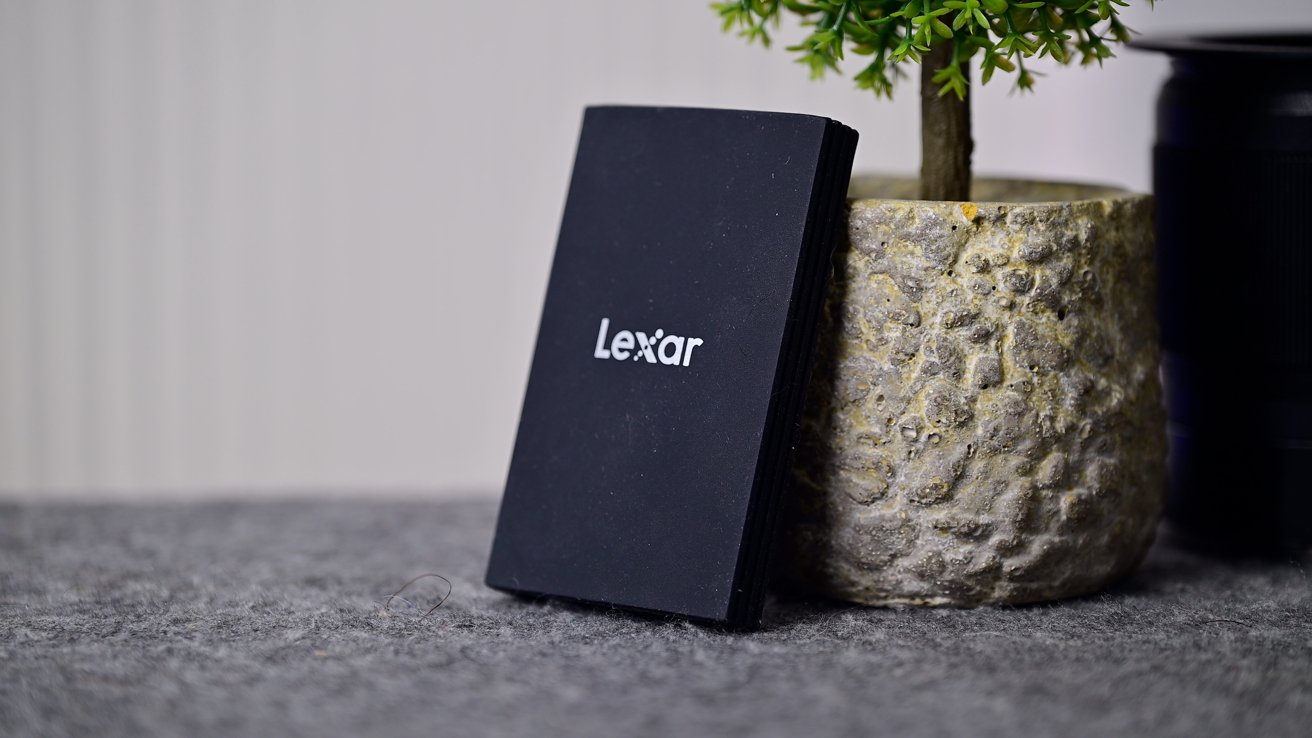
The Lexar Armor 700 is standard fare for a mobile drive. It's not particularly flashy nor offensive. The body is tapered to the edges just slightly, with a matte rubberized finish and silver metal end caps.
Lexar Armor 700 8TB review: Holding the new high-capacity SSD
There are ridges going down the metal sides which provide both added grip and enhanced drop protection. Being an "armor" drive, drop performance is important.
It promises three meters of drop protection, which I think is more than sufficient for my uses. A chest-height drop would only be roughly half of that.
Lexar Armor 700 8TB review: The drive has a clean, rugged design but can attract dust
Lexar also says the drive has an IP66 rating, meaning it is both dust-tight and resistant to water. It is supposed to hold up against water jets from any angle, though it isn't rated for submersion.
Lexar Armor 700 8TB review: Comparing the Lexar SL500 (left) to the Armor 700 (right)
It isn't the thinnest drive that Lexar makes. Something like the Lexar SL500 is much thinner.
Lexar Armor 700 8TB review: The Lexar SL500 can be inserted into a silicone sleeve and be used as a MagSafe SSD on iPhone
The SL500 also has a cool trick where it can be inserted into a silicone sleeve to turn it into a MagSafe SSD for use with iPhone. It's a fantastic, ultra-slim drive.
Lexar Armor 700 8TB review: Comparing the footprint of the Lexar SL500 (left) to that of the Armor 700 (right)
It's the added durability and resistance that separates the two. For something that I intend to travel with and that could come into contact with children in the house, I need that enhanced durability, married with the performance and capacity.
Lexar also includes a short USB-C to USB-C cable in the box. One end has a tethered USB-C to USB-A adapter.
Lexar Armor 700 8TB review: The USB-C cable includes a USB-A adapter, but it's a little annoying
I like that the tether means you won't lose it, but for me, it just gets in the way. I eventually cut the adapter off.
This drive is a USB 3.2 Gen 2×2 SSD with up to 2,000MB/s read and 2,000MB/s write speeds. At least if you have the device to support it.
Apple supports USB 3.2 Gen 2, but not Gen 2×2. That 2×2 means it has two lanes of data, which is what enables the 2,000MB/s speed compared to USB 3.2 Gen 2 devices with a single lane of data.
It's a little annoying that Apple has chosen not to support this optional variant of the USB standard, while being so fast to adopt others like USB 4.0 and Thunderbolt 5.
Lexar Armor 700 8TB review: One run of the Blackmagic Disk Speed Test
I ran several performance tests, including the Blackmagic Disk Speed test. In several runs, I was getting just under 1,000MB/s for both the read and write speeds.
That's exactly what I'd expect when using a USB 3.2 Gen 2×2 drive on a USB 3.2 Gen 2 machine. One lane means you'd get about half the performance, which is what I saw.
Lexar Armor 700 8TB review: A 100GB file took just under 2 minutes to transfer
I also ran a large real-world file transfer test, moving a 100GB Final Cut Pro project to the drive. It ended up taking a bit under two minutes to complete the transfer, which isn't bad at all.
Continuing the testing, I wanted to see whether the cache could be a bottleneck during long, continuous use on my Mac. This drive has a Silicon Motion SM2320 controller that uses a small stack of SLC NAND media, rather than a dedicated DRAM cache.