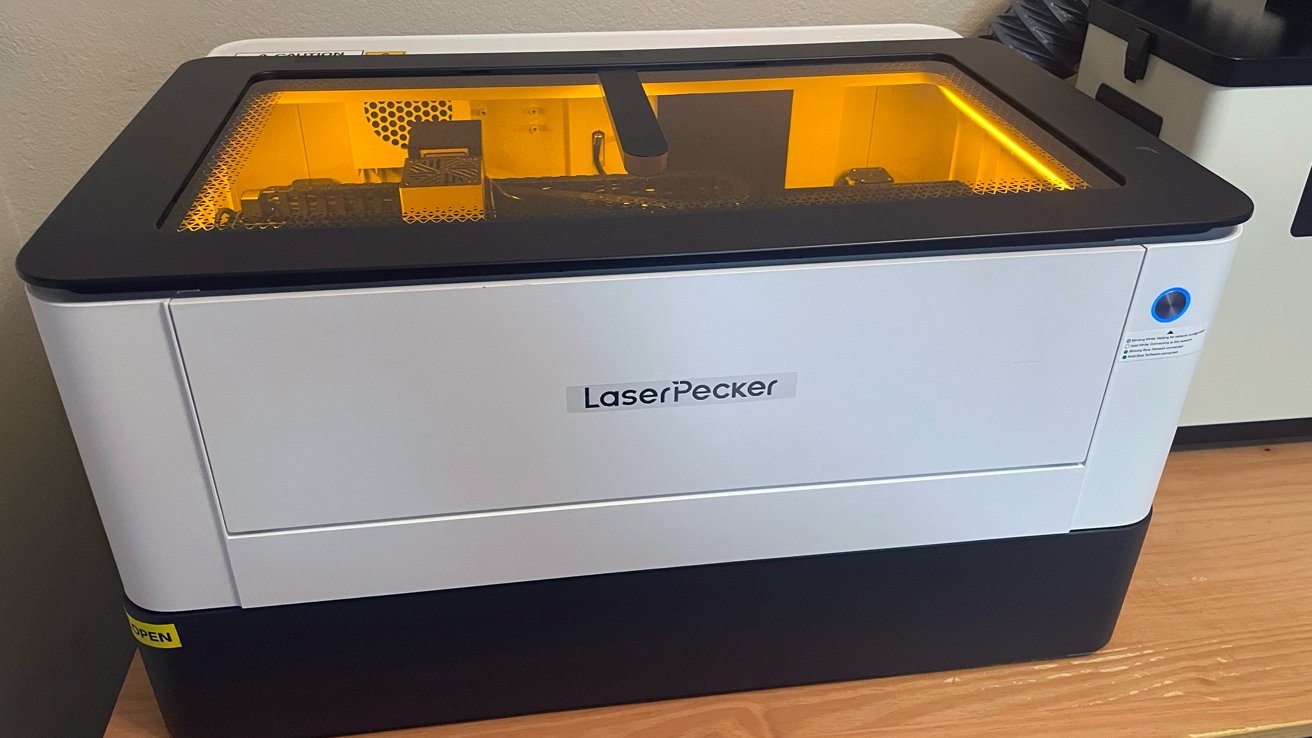
The LaserPecker LX2 is an enclosed desktop laser cutter with swappable modules that bridges hobbyist and small-business laser work. Its sticker price is intimidating, but it's a useful tool for those who buy it.
A laser cutter was once an industrial machine that needed a dedicated workshop. That has changed.
Desktop models now bring real cutting power to a home office or studio. The LaserPecker LX2 is one of the more ambitious of these.
It is a fully enclosed system with a large work area. The laser heads are interchangeable, so one machine grows with the user's needs.
The LX2 is a large, fully enclosed unit weighing 49.6 pounds. It is built to sit on a workbench rather than be carried around.
The enclosure is the key safety feature. It is Class 1 certified, so it runs safely without you needing to wear separate laser goggles.
LaserPecker LX2 review: The yellow screen protects your eyes from the laser.
LaserPecker lists a nine-layer protection system. This covers overheat detection, smoke and flame sensors, an emergency stop, and a lock.
Dual-door access, on the front and side, makes loading materials easier. A removable base tray catches debris and ash for cleaning.
It ships in 20W and 40W diode versions, plus a 2W infrared option, with each module swappable.
The LX2 arrived in a large, incredibly well-packed box from the manufacturer. This box is large and heavy, so I recommend using a team lift approach if at all possible.
I didn't. Learn from my mistakes and the sore shoulder I lived with for two days after getting it into my home.
Out of the box, one fact is abundantly clear: From a hardware standpoint, the LaserPecker LX2 is phenomenally well made.
Every piece and part is machined and precise.
LaserPecker LX2 review: The platform for engraving.
My previous experience with LaserPecker products set a level of expectation for the LX2 before it arrived. LaserPecker actually surpassed those expectations.
Nothing about the LaserPecker LX2 feels cheap or budgeted for budget's sake. Every single detail on the hardware just works, meaning the LaserPecker LX2 feels like another huge step forward on LaserPecker's path of quality.
Unboxing and setting up the LaserPecker LX2 takes time. It is not a painful process at all on the hardware side, but it is not fast.
The components are clearly marked, and the assembly instructions are very clear, with LaserPecker quite literally including all the tools needed to assemble the LaserPecker LX2.
I had the enclosure, rails, base plate, optional riser base, and the laser module assembled and on my work table in less than 20 minutes.
I also pre-attached the exhaust pipe and set up the optional smoke purifier unit next to the LX2. The exhaust pipe included with the smoke purifier was set to exit under the stove hood in my kitchen.
If you plan to purchase the optional riser base, know that you will need to lift the LX2 onto the riser base. This is much easier with two people.
The LX2 runs on LaserPecker's own Design Space software.
Hardware assembly was a smooth process, but once again, the LaserPecker Design Space app remains lacking compared to the quality of the LX2.
The LaserPecker LX2 connects via wired USB cable and Wi-Fi network.
But to enable the Wi-Fi function, you must connect the laser unit to your Mac or PC via USB-A to USB-C first with the provided cable. You also have to initialize it through the macOS LaserPecker Design Space app Beta, downloadable from the LaserPecker website.
The Beta version is here specifically for the LX2.
Previous versions of the instructions for using the app to connect to Wi-Fi were lacking. This time, the new version does well here.