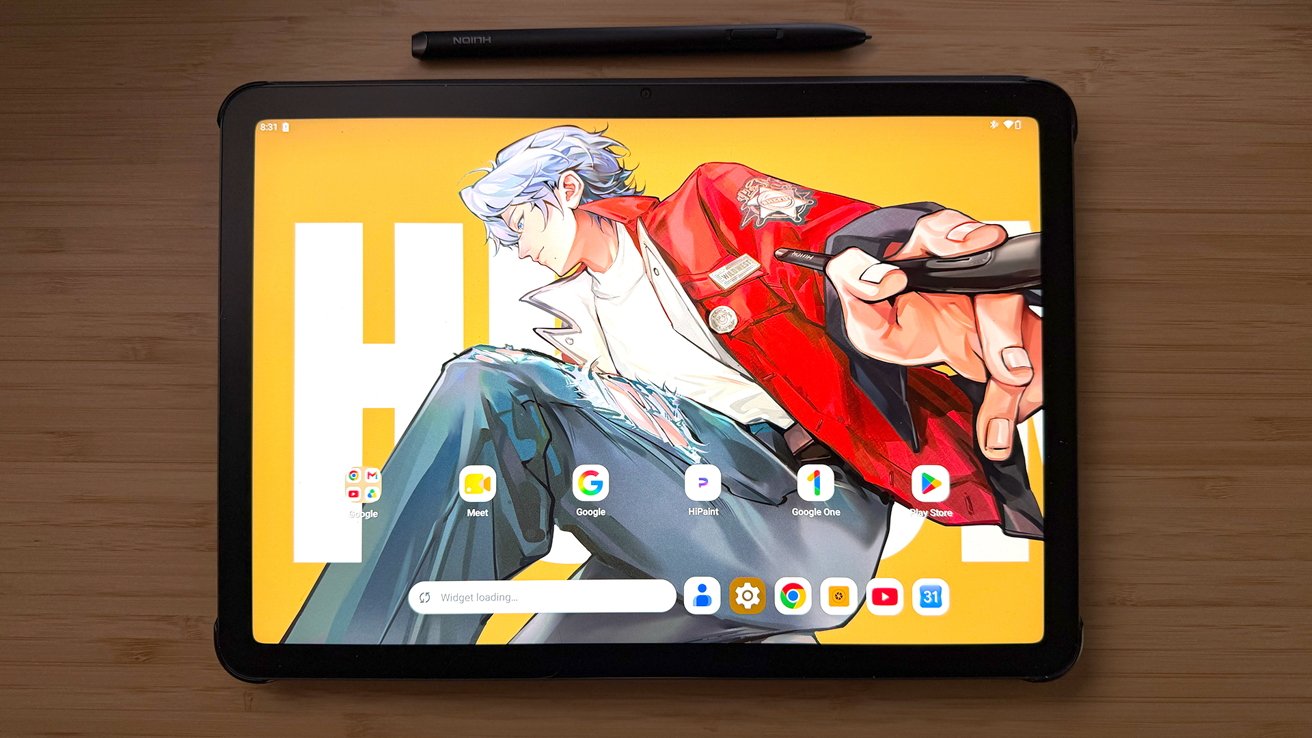
The Huion Kamvas Pad 12 is a portable drawing tablet for artists on the move. While it does compete with the iPad, it offers a lot if you're prepared to suffer through Android to Apple data transport foibles
Huion's quality and versatility have improved by leaps and bounds over the past few years, and it is back again with the Kamvas Pad 12. It's a new portable pen display pad for artists who like to sketch and create on the go.
Huion provided me with the new Kamvas Pad 12 to use for an extended test drive and see if its quality and execution live up to its continually improving standards.
The Kamvas Pad 12 arrived in a padded shipping box from Huion, with incredibly clean and vibrantly branded packaging.
The Kamvas Pad 12 also includes complimentary software:
The Kamvas Pad 12 is an incredibly well-made all-in-one pad from front to back.
No components of the Kamvas Pad 12 feel cheap, and it doesn't look cheap either. The Kamvas Pad 12 feels a lot like a smaller version of the larger Kamvas product line with black and dark gray coloration.
This is a full-functionality and independent all-in-one tablet. It's not simply a pen display that requires a desktop or laptop as the backbone.
The Kamvas Pad 12 also includes all the bells and whistles with internal speakers, front and rear cameras, a native Android 16 operating system, and 8 GB of memory.
It also has 256 GB of internal storage that can be expanded to 1 TB with a microSD card, and wireless connectivity via Wi-Fi and Bluetooth.
The Kamvas Pad 12 does not include HDMI ports or USB-A ports. Instead, Huion opts for full USB-C charging and wired connectivity.
Huion includes a PenTech 4.0, magnetic, battery-free stylus with the Kamvas Pad 12.
It is one of the thinner models patterned after a standard pencil in terms of size and feel, but the build quality and durability of the stylus are rock solid.
The set also includes the wonderful felt nibs offered by the company.
Felt nibs are always my preferred nibs for drawing with any stylus for the paper-like texture and micro resistance they provide. I love seeing them included over the standard plastic nibs.
Setting up the Kamvas Pad 12 for daily, out-of-the-box use is easy. After unboxing and charging the Kamvas Pad 12, I powered it up and was greeted with a simple and straightforward series of steps.
This allowed me to connect to my Wi-Fi, adjust settings, and link my Google account. After that, I got straight into sketching via one of the preinstalled apps included with the Kamvas Pad 12.
That list of apps includes Clip Studio Paint (subscription required outside of no-save Doodle mode), HiPaint, HiNote, MediBang Paint, and IbisPaint.
Huion Kamvas Pad 12 Review: Powered on and on its optional stand.
You can enter the other apps and OS settings easily to install new apps and make personal preference adjustments. It's also something I did over time.
However, my initial test with every pen display and all-in-one is to answer how quickly and easily I can get to work from unboxing to initial startup.
Coming over from an exclusive iOS and macOS workspace, I did have a few moments of learning how specific options and personalization tweaks behave in the Android environment.
But other than that, everything clicked quickly and flows well. Once you dial the Kamvas Pad 12 to your personal preferences.
After setting up the Kamvas Pad 12, I opened a fresh HiPaint document and settled in to sketch and eventually work up an updated version of my cartoon avatar.
For testing, I imported a sketch from my Photoshop workspace to give me a leg up. But all of the inks and color followed on the Kamvas Pad 12.
I am surprised by how clean and robust the HiPaint app is, and it works very well for an app preinstalled with the Kamvas Pad 12.
HiPaint offers a wide range of brushes, effects, and file handling for exporting files to other applications and uses. It is miles ahead of the simple Wacom Canvas sketching app.
Once again, Huion continues to outpace Wacom in another vital aspect of digital art creation.