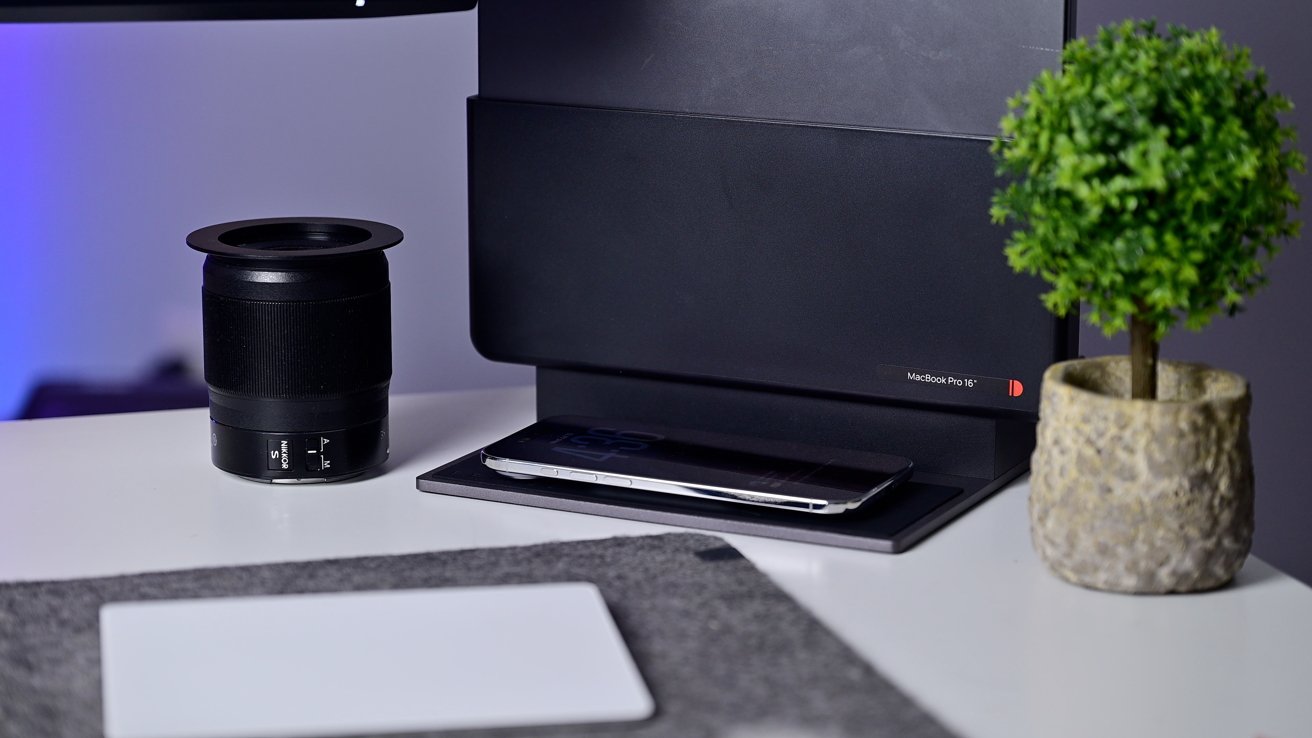
The Brydge ProDock Trio is a rarity amongst Thunderbolt docks, offering a compact vertical MacBook stand alongside a MagSafe phone charger.
All USB-C and Thunderbolt docks I've tested have been largely the same as boxes that connect with a bundled cable. They have different ports and different technical specs.
Brydge goes a different route, opting for a new version of its vertical ProDock. Your Mac is physically docked in the device, working in clamshell mode and keeping your desk free and open.
It's an ideal companion for those who want desk space and use a wireless keyboard and trackpad. While almost perfect, there are a few changes I'd have liked to see after using it the past few weeks.
Here in the studio, I have the Brydge ProDock Trio, one of a group of new docking stations the brand introduced. There is also the ProDock Solo and ProDock Duo.
As the name somewhat implies, one of the big distinguishing factors between the docks is the number of supported displays. The Solo can handle one external display, the Duo can do two, and the Trio can do three.
The other big difference between the three is the interface. The ProDock Solo works via USB-C, while the larger two are both Thunderbolt.
Specifically, the ProDock Duo is a Thunderbolt 4 dock while the Trio is a Thunderbolt 5 dock. You can still use the Trio via Thunderbolt 4, but you can't reach peak 80 Gbps speeds, triple-output, or 120 Gbps Bandwidth Boost mode.
Brydge ProDock Trio review: The ProDock Trio without a Mac
Other changes include how much power is delivered to your docked Mac (90W versus 140W on the Trio) and the sheer number of ports.
Compared to other docking stations, the Brydge ProDock does have a bit of a setup. Luckily, it's not overly involved, and Brydge hooks you up with the sole required tool.
Brydge ProDock Trio review: The sleeve and the dock itself before assembly
When you order your ProDock, it arrives in two boxes. One of the boxes houses the dock, while the other is what Brydge calls the "sleeve," and is device-specific.
Basically, Brydge created one aluminum dock with all of the electronic components and a series of largely plastic sleeves that fit each of the compatible machines. That way it doesn't need to make different versions of the dock itself.
Brydge ProDock Trio review: During setup, position the switch correctly
Prior to attaching the sleeve, you need to correctly position the Type-C connector. Slide it to the left for 16-inch MacBook Pros and to the right for MacBook Air and the 14-inch MacBook Pro.
After sliding the plastic sleeve onto the top of the dock, it gets secured by two screws, one on either side of your Mac. Brydge includes a spare set of screws and a small Torx screwdriver in the box.
Brydge ProDock Trio review: Installing the corresponding sleeve
Then you connect it to power. There's no cable to plug into your Mac, other than slotting it into place.
In total, there are 11 ports available on the ProDock Trio. They're located on the back, as well as the sides.
Brydge ProDock Trio review: Rear ports of the Brydge ProDock Trio
Port selection is always going to be based around use case, and for me, this is almost an ideal collection. If I had my way, I'd swap out some, or all, of the USB-A ports for more USB-C ports.
Brydge ProDock Trio review: Left side USB-C port and SD card reader
One common explanation I hear is that it can cause "confusion" if you have lower-powered USB-C ports next to high-powered ones or Thunderbolt. I don't think this holds water when Brydge already includes a standard Type-C port on the side with the same watered-down USB-A data specs.
Other criticism comes from users with legacy USB-A devices. Again, it's fair, but there's no reason not to swap out aging cables for new Type-C ones.
Brydge ProDock Trio review: Right-side auxiliary audio and USB-A ports
I have no USB-A devices around, which makes these ports useless to me. USB-C is very common in 2026; we need few new USB-A ports, let alone three of them.
On the flip side, I'm thrilled with the three downstream Thunderbolt ports. These ports enable three 4K displays at 144Hz or two 8K displays at 60Hz and 15W of power.