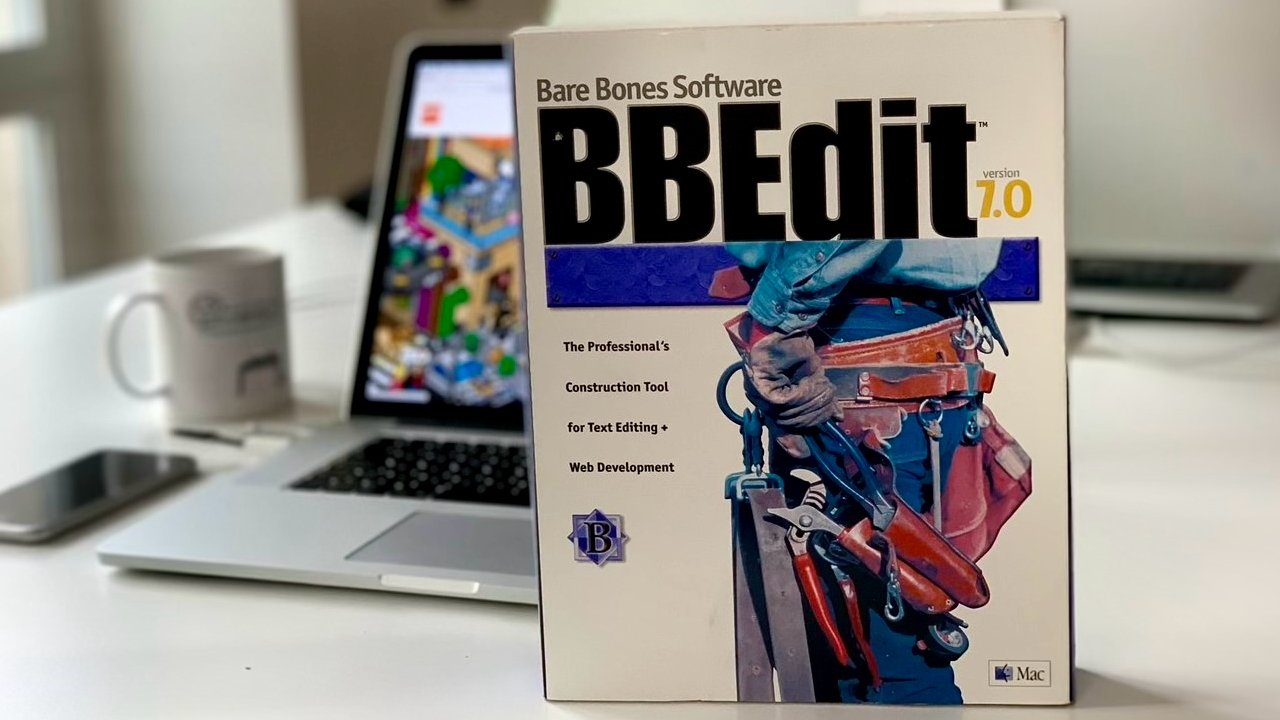
You may like Pages and you may tolerate Microsoft Word, but text editor BBEdit has been rightly earning devotees on the Mac for 34 years. Here's how.
There are very few Mac apps that go back this far, and even fewer that remain both actively developed and actually beloved by its users. And there is only one with the trademark "It doesn't suck."
BBEdit is just a text editor, but rather than this meaning it is limited, it means that BBEdit is focused. It is and always has been a plain text editor, it does not also try to be a mind-mapping tool or an image editor or a chatbot.
This is going to read like an unqualified hymn of praise, although there are actually a few qualifications. But this is what BBEdit does to you. While there are other apps I write in for many different purposes, BBEdit does what it does extraordinarily well.
I don't remember when I first came across it, but it would've been before 2000 and possibly before Steve Jobs came back to Apple. Its original version was written in 1989 because of a problem with editing text on the Mac.
After it was released as BBEdit in 1992, Bare Bones Software never stopped developing it.
The problem back then was just that Apple offered an API for handling text, but it couldn't handle large files. The creators of BBEdit were working on a version of the Pascal programming language for Mac that effectively demanded longer files.
While Apple's Pascal faded away, their text editor grew into this favorite for programmers and writers.
If you've never used it, though, it's hard to convey just why BBEdit is so popular among its users. There are people who will never leave the Mac because there isn't a PC version of BBEdit, for instance.
And as you use it, you have such a clear sense that so do its developers. This is not a day job or a side project, BBEdit keeps getting better because its developers add what they want it to do themselves.
"I use BBEdit for everything I produce that involves text: code (C, C++, Objective-C), web site content (HTML, Markdown, Textile), and more," said Rich Siegel, developer of the app, in a 2011 interview. "In a very real sense, BBEdit is written using itself — my daily-use build is the same one that's being beta tested or used in the field by our customers."
If BBEdit's search feature can't find something, it isn't there.
So an app that has been available for more than three decades, two hardware architectures ago, is still being actively developed. An app that was meant to be just a "bare bones" text editor is still simple to use, yet it has so many features a keystroke away that it's hard not to gush about this app.
To be fair, there are actually reasons not to use it, there are writers for whom BBEdit is just the wrong choice. But if it suits your writing or it suits how you like to work, BBEdit can make you into a passionate fan.
"BBEdit is legendary because we keep improving it to serve the needs of our customers," Siegel said on the release of version 9. It's now on version 16, which is promoted as having "millions* of new features and refinements (*estimated)."
With marketing like that, BBEdit remains a taste of those early times with the Mac some 34 years after it was first launched. It's serious software that doesn't take itself too seriously.
The short version is that BBEdit is a text editor. That's not the same thing as a word processor which offers formatting options like styles or margin control, as a text editor is just for getting the words down.
There aren't countless settings you can choose in BBEdit, but there are more than you'd like to count.
As such a text editor, BBEdit is fast and responsive, and it generally doesn't get in your way. You don't have to set any settings, you can just open it and start typing.
When you have written a lot of text, maybe even over several years, you will start to appreciate a feature called grep. This is a form of regular expression, the feature takes you beyond normal search and replace.
For instance, in any word processor you could search for a date like 01/12/2026. But in BBEdit, you can search for all dates in the document, matching every one of them simultaneously.
It's a form of regular expression. As well as being powerful, though, the BBEdit version includes an on-screen guide to help you through it as simply as possible.
"Our base started as Mac software developers, scientists, system administrators, and other technical users," Rich Siegel told Apple in 2019. "The first big change was popularity among HTML authors and web back-end developers."
Web designs can write CSS files in BBEdit – image credit: Bare Bones Software
"As word spread, we were able to help folks understand that the internet was built with text that you could treat as data or you could treat it as a document," he continued. "So the next wave brought in internet architects, cryptanalysts, and scientists from unexpected disciplines."
Thos unexpected disciplines, he said, included "writers and other content creators-folks who see their text not as data but as words, and who want as little as possible between them and their words."
Beyond the simplicity of writing in BBEdit, part of this get-on-with-it design is in how it stores your documents. Unlike most apps other than Ulysses, BBEdit can in theory be a single repository for all of your writing.
So rather than opening and saving documents all the time, you can just open BBEdit, press Command-N and be writing in a new document. Everything you've written before is still there, listed in a navigation bar on the left, until you choose to close it.