This spring, Apple made it official: The Mac Pro is dead.
When Apple was using Intel processors and AMD GPUs, the idea of an expandable and upgradeable tower made sense. But Apple Silicon chips bring the CPU, GPU, and memory interface all under one roof in a way that makes that sort of upgradeability not just superfluous but impossible. At least not without breaking some of the chips’ key benefits.
And as it happens, Apple Silicon’s combination of a fast CPU, solid GPU, and unified memory architecture has made it a good fit for a modern “pro” workload that really pushes high-end hardware: running language models and agents locally.
That’s really the core audience for the M5 Ultra Mac Studio, Apple’s tippity-top config that is jumping two processor generations in a single refresh (there was no M4 Ultra, if you recall). The highest-end Studios have always felt like a bit of overkill for most people, but now there’s a particular kind of AI-pilled coder or designer who can legitimately benefit from having this kind of system on their desk.
Apple was caught off guard by the demand for these systems from people running software like OpenClaw and running open-weight models locally, which, along with the AI-fueled memory shortage, is why it has been nearly impossible to buy most of these systems for months. That’s the context that the new Mac Studio is launching into.
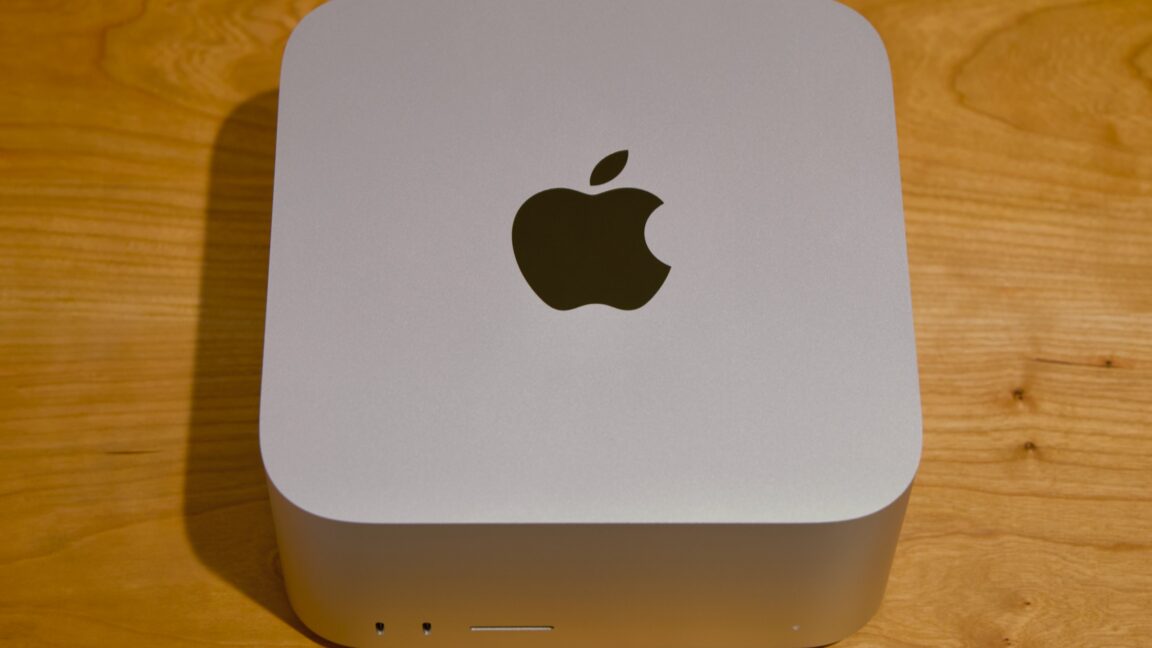
The new Mac Studio looks the same as it did when it launched with the M1 Max and M1 Ultra back in 2022. It’s a small, squat box, with the same 7.7-by-7.7-inch footprint as the old Mac mini, but it’s taller. Both the Max and Ultra variants of the Studio look the same, but the M5 Ultra version weighs two pounds more because it has heavier but more-conductive copper in its heatsink to help cool the more powerful chip.
Both Studio models also come with nearly all the same ports. On the back, you’ll find four 120Gbps Thunderbolt 5 ports, a 10Gbps Ethernet port, an HDMI 2.1 port, and a pair of 5Gbps USB-A ports. On the front, both Studios have a UHS-II SD card reader, but the Max comes with two 10Gbps USB-C ports, and the Ultra comes with two more 120Gbps Thunderbolt 5 ports.
The Ultra’s additional oomph extends to external display support. The M5 Max supports up to five external displays, and the M5 Ultra supports up to eight, though both come with caveats depending on the resolution and refresh rates you’re using.
The M5 Max is a known quantity at this point, and Apple has been shipping it since March in the MacBook Pro. It improved over the last-generation M4 Max by introducing new “super” cores for the CPU and nudging the maximum memory bandwidth up from 546GB/s to 614GB/s. The number of GPU cores stayed the same (40), but new neural accelerators built into each GPU core helped improve its performance for ML/AI-assisted technologies like MetalFX upscaling and frame generation.
The M5 Ultra is a bigger departure for a few reasons. The first is that there was no M4 Ultra, so we’re effectively hopping two processor generations despite only jumping a single product generation.
The second is that the way the chip is built has actually changed quite a bit. The M1 Ultra, M2 Ultra, and M3 Ultra were all essentially a pair of Max chips strapped together using a high-speed interconnect to get most of the benefits of making one huge chip without all of the manufacturing difficulties of making one huge chip.
The M5 Ultra is still basically a pair of M5 Max chips stitched together; that much is the same. The chip includes up to 12 super CPU cores, up to 24 P-cores, up to 80 GPU cores, 32 Neural Engine cores, two video decoding engines and four encoding engines, and a little over 1.2TB/s (yes, that’s TB with a T) of memory bandwidth. That’s a neat doubling of all the M5 Max’s major specs.
What’s different is that this generation’s M5 Pro and M5 Max are both already a pair of chiplets attached together via silicon interconnect, which means the M5 Ultra is actually four distinct bits of silicon packaged together. The potential downside for this arrangement is that die-to-die interconnects often can’t communicate quite as fast as components all housed on the same silicon. Overall, the Fusion Architecture hasn’t kept previous Ultra chips from being fast, and it doesn’t keep the M5 Ultra from being fast, either. But performance on the Ultra chips has never scaled perfectly linearly with the number of cores, and the M5 Ultra is the same way.
Normally we could just cover the hardware improvements in a new Mac while assuming that all else was equal on the pricing front—that the new hardware would automatically be a better deal than the old hardware because it was being sold for the same price. But Apple has raised prices across the board this year because of the ongoing AI-fueled memory crunch. As its highest-end computer with its highest-end memory and storage configurations, the Mac Studio is getting hit even harder than other Macs.
At its introduction, the basic M4 Max Mac Studio ran $1,999, which got you a slightly cut-down version of the chip, 36GB of RAM, and 512GB of storage. The M5 Max Studio starts at $2,499, a $500 increase. An M3 Ultra Mac Studio with a cut-down chip, 96GB of RAM, and 1TB of storage started at $3,999; the same M5 Ultra config will run you a whopping $5,499, a $1,500 increase. And that’s for the base models. Going for a fully enabled M5 Max, 64GB of RAM, and 1TB of storage—what I’d call the price/performance sweet spot for dabbling with local AI—will run you $3,799, $900 more than the M4 Max Studio would have cost when it launched.
As for the Ultra? A 256GB RAM/1TB storage model that would have cost $5,599 18 months ago now costs $9,499—not quite twice the price but close enough to feel like it. There will be a 512GB version of the M5 Ultra Studio, but Apple hasn’t said what it will cost. The M3 Ultra version started at $9,499, so I feel pretty confident in saying that the M5 Ultra version will be a $20,000-and-up computer. To be interested in high-end local AI, you already have to be willing to pay more up front for hardware than you would to just use some company’s Nvidia-powered data center. At these prices, buying a cluster of Mac Studios feels like paying to build a data center out of your own pocket.
Bear that in mind as we talk about performance.
The M5 Ultra is, by almost every measure, the fastest Apple Silicon processor built so far. The only place it loses is in single-core CPU performance, where the Mac mini’s humble M6 very narrowly beats it. But the gap is small—smaller than the gap between the M3 and M4 generations, for example—which helps keep it from feeling like as big a deal as it did when the last-generation Studio launched with the M4 Max and M3 Ultra.
In many of our general-purpose CPU and GPU tests, the Ultra’s CPU outruns the M5 Max by 80 or 90 percent, and the GPU is between 50 and 80 percent faster. That’s essentially in keeping with what we’ve observed in past Ultra chips—the CPU comes closer to 2x scaling than the GPU does. Compared to the outgoing M3 Ultra, M5 Ultra usually posts around 30 percent faster single-core CPU speeds, 50 percent faster multi-core CPU speeds, and GPU performance that’s anywhere from 33 to 66 percent faster, depending on the test. As you’d expect for a two-generation upgrade, it’s a big one.
But we also observed some less-expected behavior. The Ultra’s Geekbench multicore performance is only around 26 percent faster than the Max, and in our CPU-based Handbrake video encoding test, the Max is actually faster to complete the H.264 encode (and barely slower at H.265).
Looking at the power consumption numbers offers a possible explanation. According to the powermetrics tool, both the M5 Max and M5 Ultra consume about 75 W of power on average during the video transcoding test. That’s also about the amount of power that the M3 Ultra Mac Studio used. But the Max Mac Studios have historically used less power than the Ultra chips. To me, this suggests that the M5 Ultra is being power-limited to keep it within the power/cooling envelope of the existing Studio design.
But it could just as easily be a bug. When checking Activity Monitor during the video encoding job, you don’t see every single CPU core being 100 percent utilized, which is the typical behavior for this test. And powermetrics reports that all of the Ultra’s CPU cores are running at the same sustained clock speeds as the M5 Max’s for the duration of the encoding test. If there were power- or temperature-related throttling going on, you’d expect those clock speeds to be lower. I’ve reported my findings to Apple and will report back if I get a response.
I have learned virtually every firsthand thing I know about vibe coding in the last week, so bear with me if I get any of this wrong. Many AI model providers, including Apple, have also released models that can work their way around some of these Hard Facts. But broadly, this should be an accurate local-AI crash course.
When you’re talking about running AI models locally, there are two hardware numbers that loom the largest. The first is the amount of GPU memory you have. The second is the amount of memory bandwidth you have, or how quickly that GPU can communicate with the rest of the system.
Your graphics RAM decides both the size of the models you can run—these need to be loaded pretty much entirely into GPU memory because anything after this will either spill over into your main system memory (slow) or, in a worst-case scenario, to your disk (even slower).
On top of this, particularly for coding, you need additional memory for “context,” or the amount of information an individual agent can recall before running out of memory. For a basic question-and-answer chatbot interaction, you don’t need a ton of context. For coding a full app, you’ll want to have a bunch of RAM available for context so the agent doesn’t get halfway through a complex task and “forget” what it was doing.
There are handoff mechanisms—one agent can condense a session to a single file that contains most of the relevant information from a session and pass it to another, effectively resetting the context. But things inevitably fall through the cracks with this mechanism, especially if there’s not all that much context to condense in the first place.
The memory bandwidth isn’t the only thing that determines how quickly the model will be able to spit out new words (“tokens”), but it’s probably the single most important thing. Even the speed and capabilities of the GPU that the RAM is attached to don’t matter that much, compared to the amount of memory you have and how quickly the computer can move data into and out of it.