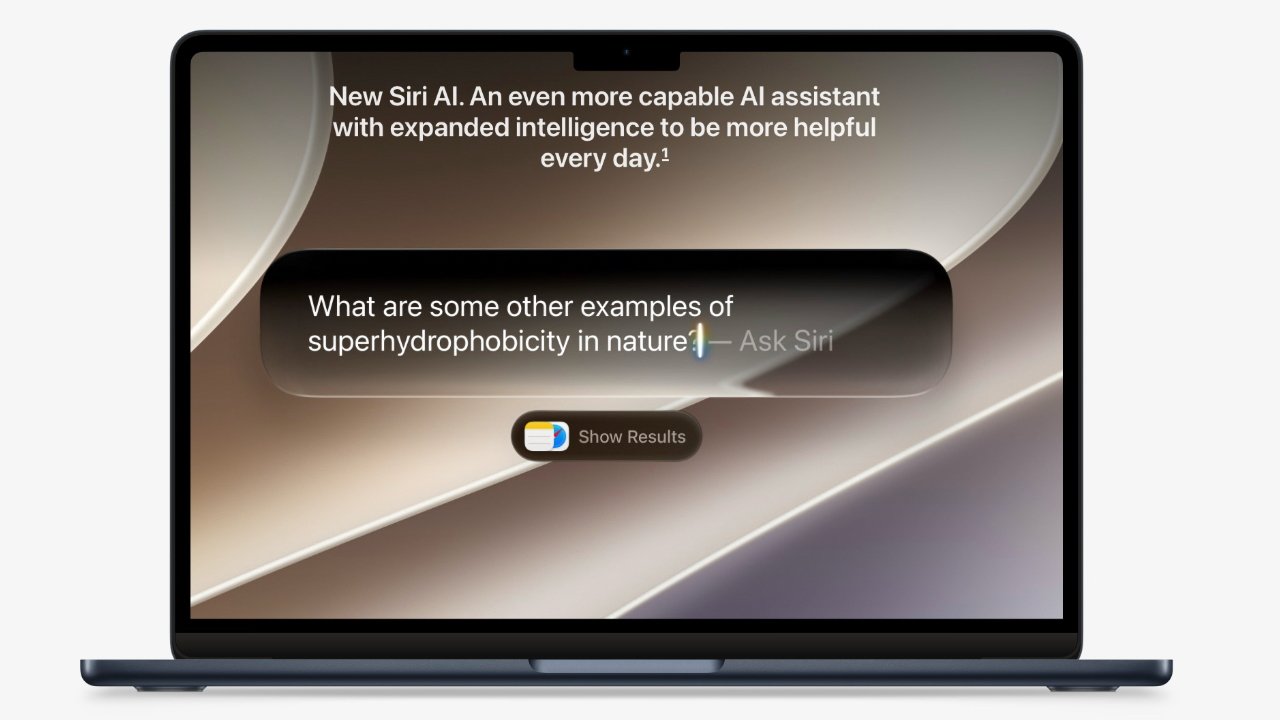
After months of beta testing, Apple has released macOS Golden Gate. As always, it's a mix, but there are great improvements and Siri AI is mostly fantastic.
Fantastic is a strong word but apart from a few aspects that are still startlingly poor in it, Siri AI deserves the description. Up to now, Siri has really been an iPhone tool as it was cumbersome and slow on the Mac, and simply not as useful there.
Now, incorporated into Spotlight so that it is always a keystroke within reach, Siri AI transforms the macOS Siri experience entirely. Gone is the tiny popup in a corner, and what's most welcome is that the need to stop typing and wait for Siri's response is gone too.
With macOS Golden Gate, you can call up Spotlight, ask Siri AI to find that email where you told that charity some dimensions for an advert some time, and carry on working. Faster than you could ever find that three-year-old email, Siri AI is back with exactly the answer.
But truly, the fact that you can carry on working while it looks is as transformative as what it is now capable of doing. The Spotlight/Siri AI black dialog box does pop up in the middle of your screen, but you can drag it out of the way and carry on typing in your document.
I now use Siri AI whenever I want something that I know is on my Mac somewhere, whether that's a document or an email. That charity advert email was urgent but the request came when I was deep in the AppleInsider podcast, so having it just be found for me so quickly was such a boon.
I could've just searched my calendar, true. But then I asked Siri AI to find the concert tickets in one of my email accounts, and it did.
Similarly, there's a concert I was due to see last year but it was cancelled, then rescheduled, and when I suddenly worried that I'd missed the new date, it was Siri AI that said no, you're fine. You're seeing Dar Williams at this date and at this location, it told me, plus here's the email with the tickets.
On and on it goes, I'm practically at the stage of calling up Siri AI before I've finished thinking what I want. If I sound like an evangelist, it's because I now am and specifically so because macOS Golden Gate has made Siri AI so readily prominent and useful.
I would say that I no longer Google anything, I just ask Siri AI, but that's not entirely true. Siri AI doesn't always find what other AI services do, so I still keep Claude around.
Although while there presumably can't have been much work done by Apple on what it calls Siri's World Knowledge, I'm now only rarely finding Siri AI's answers to be wrong. For some reason that was different at the start of the beta test.
Siri AI always gives short answers to questions and usually they're too short.
However, for some unfathomable reason, Siri AI responses are still intentionally limited to how much you could say in a single breath. I'm sorry, but I have no particular concern over whether Siri runs out of breath or not.
So if I'm searching for something that I know will need more detail, then I will again turn to Claude.
Plus, let this be a public service announcement: Siri AI finally works with Apple Music. But only on the Mac.
Until the last moments of the macOS Golden Gate beta test, and still in the final iOS 27 beta, Siri AI would claim to be able to add Apple Music tracks to playlists. But it would then work only just often enough that you would keep trying.
Most of the time, the gigantic majority of the time, Siri AI would say it couldn't find the playlist you said. Even if just before, you had asked it to play that playlist and it had done so without complaint.
Apple Music and Siri AI integration was, and still is on iOS, enraging, partly because of how patronizing it could be. If you keep asking, Siri AI will eventually apologize for your confusion, as if it's you who is getting this wrong.
It was not chance that means Siri AI has been coded to say "I won't respond to that" when you tell it just precisely what you think of it.
I should be ecstatic that it's now working on the Mac, but on the one hand, I almost always use that particular feature on the iPhone while driving. And on the other, there was a whole twenty minutes during one beta release where it worked on the iPhone too.
You can't believe the surprise when Siri AI finally added an Apple Music track to a playlist, like it always said it could.
There weren't that many people using the beta, compared to how many will now have it. But Apple has the problem of convincing those beta users to try this feature again.
Which feels like an own goal because Apple already had the much greater issue of getting anyone to try Siri at all. Apple broke Siri two years ago and then left it like that.
Nonetheless, you must try Siri AI on macOS Golden Gate and by itself, it is the reason to upgrade. You have to get on a waitlist, though.
Saying that Siri AI is the reason to upgrade is of course a way of stressing just how good it is, when it's good. But this is also close to strictly accurate as the only major update to macOS this time is Siri AI.
So there are refinements to Liquid Glass, for instance, but they're really just a sop to the vocal minority who don't like that redesign. Apple can tell you that there are now controls for adjusting just how liquid its Liquid Glass features are, for instance, and it's not lying.
There is a slider to adjust how liquid Apple's Liquid Glass design is, but it doesn't make much difference.
But you have to whack the slider fully to one way or the other to really distinguish any difference at all. Since I'm fine with Liquid Glass, I tried this, shrugged at it, and never went back.