As I write this article, I am about to head out for a quick trip up north, and when I hit the road, there are a few key types of gear of my smart home setup I fully rely on to keep things running smoothly. Just remember that you will need a dedicated Apple Home hub, like an Apple TV 4K or a HomePod, to access your devices remotely to take full advantage here.
HomeKit Weekly is a series focused on smart home accessories, automation tips and tricks, and everything to do with Apple’s smart home framework.
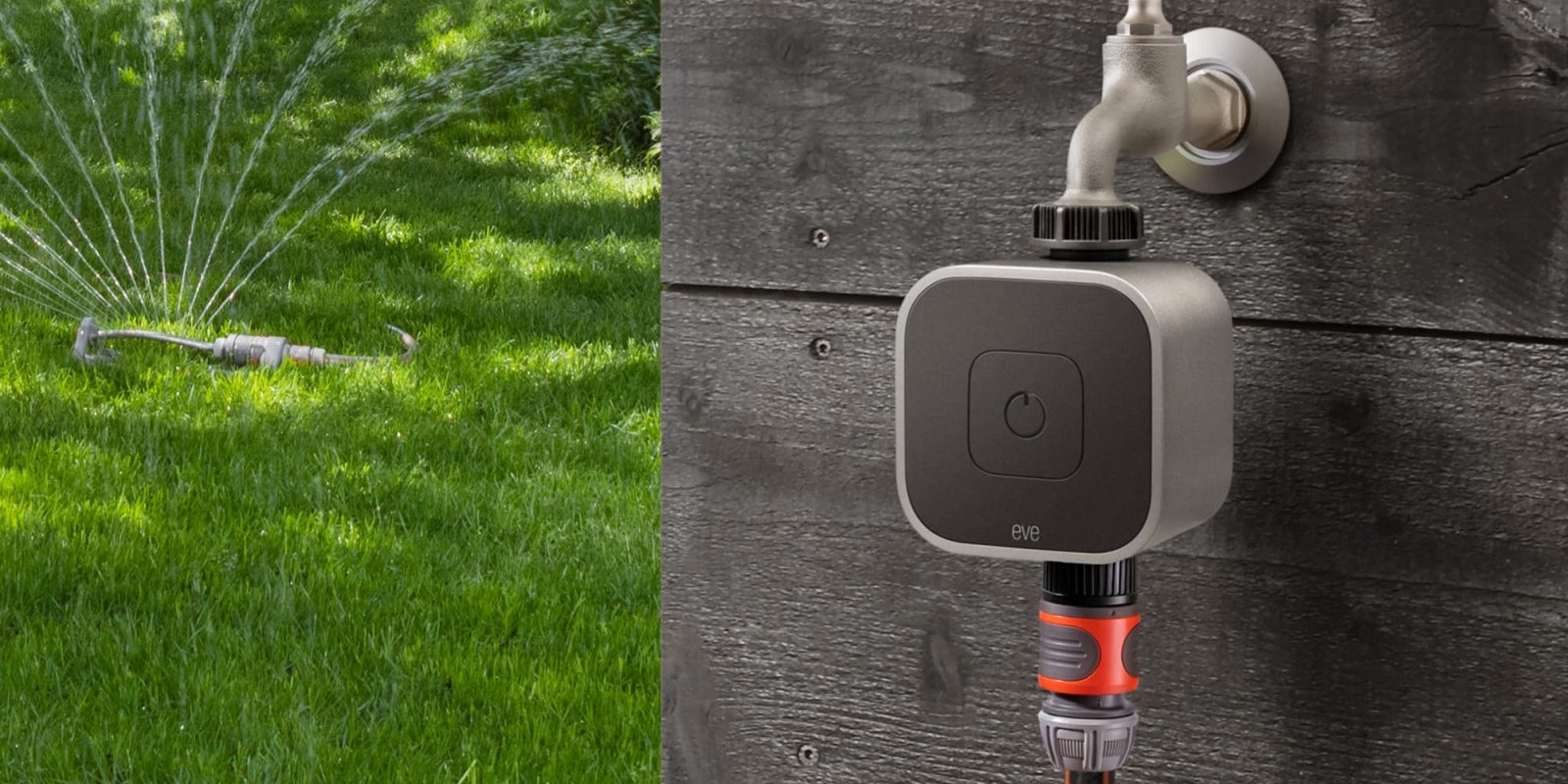
Where I live, it’s hot as <insert adjective>, and I think that when traveling, you are either going to need to count on rain or you’ll need to water your plants while gone. One of the easiest smart home wins for summer travel is automating your outdoor watering. If you have ever returned to a dead patch of grass or dead plants after a week away, you know the exact pain I am talking about. There are a handful of excellent products designed to connect directly to your hose that allow you to manually trigger a sprinkler or build automations based on strict timing and local weather conditions.
There is nothing worse than walking into a hot and stuffy house after a long trip and waiting hours for the HVAC system to catch up. On the flip side, paying to keep an empty house cold all week is a complete waste of money. With an Apple Home-compatible thermostat, you can adjust your air conditioning back to your preferred temperature the night before you return. I’ve done this for years. I prefer doing this in the evening so the unit can cool the house down when the outside air is at the coldest of the day, which saves money and reduces unnecessary strain on the system.
One of the oldest security tricks in the book is leaving a few lights on to make it look like someone is home. The problem is that a light staying on around the clock actually makes it blatantly obvious that the house is empty. This is where Apple Home comes in handy. By automating a few key lights, you can manually adjust them remotely or set up randomized schedules, so it genuinely appears like people are moving around the house.
When I am traveling, I absolutely do not want to obsess over my property, but I do want to know if something is actually going on. In fact, I caught a minor situation last year while traveling thanks to the alerts. This is exactly why I rely on HomeKit Secure Video. I have a few cameras mounted outside to monitor the perimeter. With HomeKit Secure Video, all recorded clips are securely stored in iCloud+, and since I use multiple Apple TV units as hubs, I can easily access live feeds and recordings from anywhere I have an internet connection.
Summer is a fantastic time to travel, but it is also when your house needs a little extra attention because of the extreme heat. With the right Apple Home setup, you can keep your lawn watered, ensure your house is cool the moment you walk through the door, keep your lights on a varied schedule, and easily monitor your cameras remotely. These are the exact configurations I use when I am gone for work or family trips, and they legitimately make travel far less stressful.
FTC: We use income earning auto affiliate links. More.
Check out 9to5Mac on YouTube for more Apple news:
HomeKit Weekly is a series focused on smart home…
Bradley has worked at K-12 independent schools for much of the last 20 years, serving as the head of the information technology department and leading classroom technology integration. He’s well-versed in enterprise Wi-Fi, macOS and iOS system management, school technology, and SaaS tools.
Upgrade your home security with wireless cameras that includes HomeKit compatibility.
Abode is the best home security system and includes compatibility with HomeKit.