This year at Android Dev Summit we shared how Android developer tools are evolving to help you be more productive alongside your agents. Whether you prefer to work in Android Studio or from the terminal using Android CLI, our goal is the same: to give you and your agents the tools and knowledge to build high-quality Android apps faster.
We shared some of these updates in action in the Android Dev Summit keynote. In this blog post we round up all of the developer tools and performance announcements from Android Dev Summit and point you to the event content where you can go deeper. We'll cover three areas:
Android Studio has always been the best place for professional Android developers to build Android apps, and now it's the best place to build them with the agents and models of your choice.
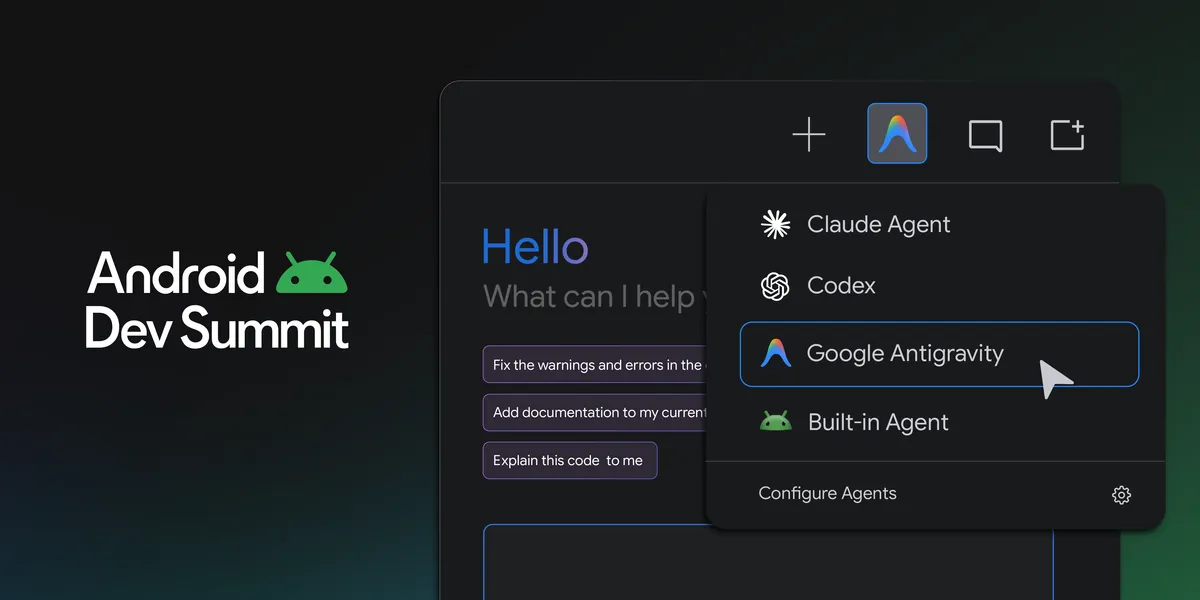
You told us you want the flexibility to use the agents and models best suited for the task at hand, including the AI tools your team already relies on. That's why Android Studio now supports over 40 ACP-compatible coding agents directly inside Android Studio through Bring Your Own Agent and the open Agent Client Protocol (ACP). BYOA is now stable in today’s release of Android Studio Rabbit 2.
Just open Settings > Tools > AI > Agents to browse and install agents from the marketplace. You can install more than one and switch between them as you work. You get new agent features as soon as they ship, while your agent also gets access to everything that makes Android Studio great: a deep understanding of your project structure and build, symbol resolution, Compose Preview rendering, the Emulator, Logcat, and more.
Bring Your Own Agent also gives you the best of Google Antigravity directly in Android Studio. Log in for access to the latest Gemini models as soon as they launch, along with new Antigravity capabilities as they roll out.
You’ve told us how hard it is to review large changes your agents made and understand exactly what the AI has done. Android Studio now includes a new agentic code review experience to help. Start a review session from pending agent changes or the Git changes window, and Android Studio generates a report of potential issues. You can also invoke the change review flow by calling the /review command from the agent tool window, ask for an AI-guided walkthrough to understand longer changes, and have your agent fix the issues it finds.
With so many models and agents to choose from, how do you know which one is right for your project? We built Android Bench to give you more transparency into how LLMs can help you build for Android. Android Bench 2.0 is an LLM leaderboard which evaluates how models and agent harnesses perform on long-running, real-world Android development tasks, such as migrating an app's UI or building a new app from mocks. The tasks are designed to be ones that take an Android engineer days to complete. Each solution is graded on whether it actually works, not just whether it compiles as well as measured for cost and time. Check out the latest results to see how the models stack up.
Emulators for XR glasses, audio glasses, and display glasses are now stable, and you can create them from Android Studio. The updated Emulator now lets you customize the environment with your own 360-degree photos or a feed from a connected camera so you can test real physical locations from anywhere. We’ve also introduced new hardware LED indicators for microphone and camera state and improvements to the Pairing Wizard so you can pair a virtual phone with virtual glasses faster and more reliably. With new and updated features, you can build, iterate, and test XR experiences right from your preferred work environment. To get started, launch your desired Android XR Emulators from Device Manager in the latest version of Android Studio.
Migrating UI from XML Views to Compose has traditionally been a large, manual effort. Android Studio now includes the Migration Assistant which takes the majority of the Views to Compose work off your plate. Right-click any XML layout and choose AI > Migrate to Compose, or run it across the project from the action palette. The agent scopes the work with you, drafts a plan, and converts your layouts, view-binding code and logic into idiomatic Compose, using the built-in agent or any agent you've added through Bring Your Own Agent.
A progress timeline in the agent window shows which step is running, and where to resume if the agent stops, and it's saved with the conversation so you can step away and come back. This feature is available in the latest version of Android Studio Canary.
Earlier this year, we launched Android CLI as a tool-first interface that gives your agents the Android expertise they need, enhanced with official Android skills. Android CLI works in any terminal, with any agent harness, and in your CI pipelines, so your agents can build, run, and debug Android apps autonomously without burning through tokens guessing how Android works. Here's what's new:
Emulators are great, but often you need real hardware for testing. The latest version of Android CLI brings support for physical device streaming, directly from your agent or CI pipeline. Run android device remote to provision a real physical device from a secure Google device lab and connect to it, and then install and test your app just like you would with a local device connected over adb.
To see and interact with your devices, run android device hub. Device Hub gives you a lightweight way to view and interact with all your local and remote devices and emulators, without needing to open an IDE.
Your agents work best when they can check their own work. The new android preview command renders your Compose Previews without needing an emulator or the IDE, so your agent can verify UI changes visually across screen sizes as it iterates. In our internal testing, agents that used android preview completed UI tasks 77% faster while using up to 3x fewer tokens.
The official Android plugin for Google Antigravity brings Android CLI, our official skills, and Android knowledge together in one install. Now we're updating it with deep platform integrations featuring interactive tools that appear right alongside your conversation, powered by Android CLI.
To get started, open the plugin marketplace in the Google Antigravity App and install the Android plugin from Customizations > Build with Google.
Android CLI is now available to install as an official agent plugin for Claude and Codex. The plugin equips your coding agent with the tools and instructions to create Android projects, manage emulators and virtual devices, inspect live UI layouts, run Journeys, browse and install official Android skills, and search the official Android Knowledge Base.
You can install the plugin in the following ways:
1.a Install for Claude from a Claude Code session:
/plugin marketplace add android/android-cli-plugin
/plugin install android-cli@android-cli-plugin
claude plugin marketplace add android/android-cli-plugin
claude plugin install android-cli@android-cli-plugin
codex plugin marketplace add android/android-cli-plugin
codex plugin add android-cli@android-cli-plugin
We will continue to expand the plugin with deeper agent-specific integration and more features in future updates. See the Agent Plugins documentation for full setup instructions.
Building fast is only half the story. Your users expect apps that are fast and stable. Every workflow in this section works in both Android Studio and Android CLI, so you, or your agent, can go from a production signal to a verified fix wherever you work.