Affiliate links on Android Authority may earn us a commission. Learn more.
I’ve been wearing a Galaxy Watch 7 for two years. Samsung threw trade-in offers at me throughout the Watch 8 cycle, and I didn’t bite, partly because I was between jobs at the time and partly because my Watch 7 was still doing everything I needed. So when the Galaxy Watch 9 ($379.99 at Amazon) showed up, I was ready to be impressed. Two generations is a long time to sit out. Whatever Samsung had been cooking for its new smartwatches, I was going to feel all of it at once.
But after three weeks of using it, I’ve realized that while the Galaxy Watch 9 is a very good smartwatch, it’s not one I can wholeheartedly recommend without one very familiar asterisk.
I’ve been daily driving the 44mm Bluetooth model of the Galaxy Watch 9, which costs $409.99. The 40mm starts at $379.99, while LTE adds $50 to either size. For context, every version costs about $30 more than the equivalent Galaxy Watch 8 did at launch. There’s no Galaxy Watch 9 Classic this year, continuing Samsung’s recent pattern of bringing the rotating-bezel model back every other generation. If you want the mechanical bezel, the Watch 8 Classic is your only current option.
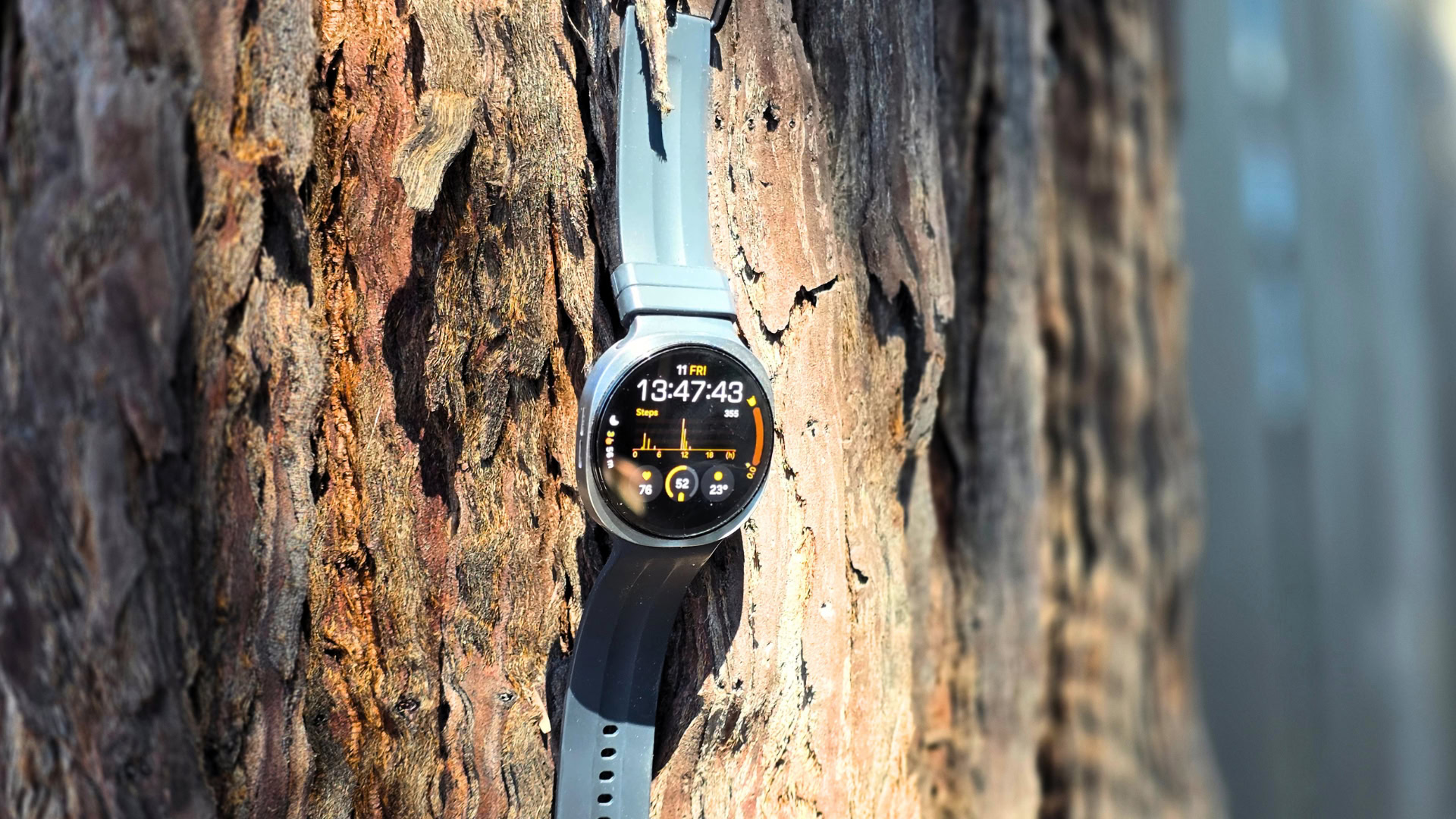
Coming from a Watch 7 or older, the first thing you’ll notice on the Watch 9 is the infamous squircle. Samsung first introduced this design two years ago with the Galaxy Watch Ultra, and last year it replaced the standard Galaxy Watch’s fully circular body with a squared-off chassis and a circular display inside it. That leaves the body bulging out around all four corners.
For what it’s worth, you stop noticing it once you’re actually using the watch because your attention naturally stays on the circular screen. But whenever I look at the watch as an object, I still prefer Samsung’s older design. I also suspect the darker Graphite version hides those corners a little better than the Silver model I tested.
The new shape does help with comfort. A square-ish chassis gives Samsung extra internal space around the corners that simply wouldn’t exist in a perfectly circular case. At 34g, the 44mm Watch 9 weighs about the same as my 33.8g Watch 7, but the body is 8.6mm thick instead of 9.7mm, which could be a result of the extra internal space. The new shape also has a flatter underside, which sits more flush against my wrist, and Samsung’s Dynamic Lug System lets the straps fall more naturally from the case.
The Dynamic Lug System also makes changing bands extremely easy. Any bands you bought for a Watch 8 will carry straight over, but the standard bands you might have collected for a Watch 7 or older won’t work here.
To be clear, none of these design changes are new to the Watch 9; they came with the Watch 8 last year. Either way, the Watch 9 is ridiculously comfortable. I’ve worn it through full workdays, workouts, DJ sets, and to bed every night, and it’s never felt cumbersome or heavy.
The right side still has Samsung’s familiar Home and Back buttons, and I noticed one small improvement that I appreciated more than I expected. On my Watch 7, the buttons would occasionally get pressed by accident while I was working out, usually by the back of my own wrist, and the watch would pause my workout without telling me. That has not happened once on the Watch 9. Whether Samsung changed the button travel or it’s simply down to the flatter case sitting differently on my wrist, I can’t say for certain. But whatever fixed it, I’m glad it did.
The 44mm Watch 9 has a 1.47-inch Super AMOLED display with a 480 x 480 resolution, the same size and resolution as the Watch 8 and effectively the same as my Watch 7. The big difference coming from my Watch 7 is brightness.
Samsung increased the peak brightness on its smartwatches to 3,000 nits with the Watch 8, and that carries over unchanged to the Watch 9. Coming from my Watch 7, I could notice the improvement almost immediately. I never found my Watch 7 particularly hard to read outside, but the Watch 9 requires noticeably less squinting or wrist-twisting in direct sunlight.
The watch’s display is protected by sapphire crystal, and so far I haven’t seen any scratches or scuffs. The watch’s body also carries 5ATM, IP68, and MIL-STD-810H durability ratings. I didn’t think twice about wearing it to the gym, in the shower, or while swimming, so you shouldn’t either. However, it has no raised edges to protect the screen from direct impact, so if you plan to hike with the watch, it may be worth investing in a screen protector.
The biggest hardware change on the Watch 9 series is the processor. After years of using its own Exynos chips, Samsung has switched the Galaxy Watch 9 and Watch Ultra 2 to Qualcomm’s Snapdragon Wear Elite platform, and the performance gains are noticeable.
Scrolling through Tiles feels smoother, apps open faster, and there are fewer of those tiny pauses that have always stopped Galaxy Watches from feeling completely fluid. Still, coming from a Watch 7, I wouldn’t call the difference transformative. My two-year-old watch still feels perfectly usable. And as you’ll see in a minute, the faster chip may also have come at a cost.
The Watch 9 ships with Wear OS 7 and Samsung’s One UI 9 Watch interface. Samsung is promising five major Wear OS upgrades and five years of security patches, one additional OS upgrade compared with the policy it offered on previous Galaxy Watches. One UI 9 Watch itself will feel immediately familiar to anyone who has used a recent Galaxy Watch. Swipe down for quick settings, up for apps, and horizontally through your Tiles. Almost everything I regularly use is only a swipe or two away.
I’m still not a huge fan of Samsung’s watch faces. There are plenty to choose from, but I just don’t like how most of them look. What Samsung does very well, though, is information density. There are watch faces that let me see my steps, sleep, battery, weather, heart rate, calendar, Energy Score, and more without opening anything. That’s exactly what I want from a smartwatch.
One software addition I liked more than expected is Raise to Talk. Instead of pressing a button or saying a wake phrase, you can simply bring the watch toward your mouth and start speaking to Gemini. At times, the gesture wouldn’t trigger Gemini at all, and I had a few instances where the watch seemed to freeze while trying to invoke it. But overall, it worked much better than I expected a brand-new feature like this to work.
The health hardware hasn’t changed much from the Watch 8. Samsung’s BioActive Sensor handles optical heart-rate sensing, ECG, and bioelectrical impedance measurements for body composition. There’s also a temperature sensor, accelerometer, barometer, gyroscope, geomagnetic sensor, ambient-light sensor, and dual-frequency GPS.
Samsung Health is better than ever and now tracks everything from sleep, blood oxygen, stress, body composition, and ECG to newer metrics like Heart Health Score, Fitness Index, Daily Cardio Load, and Blood Pressure Trends (with the latter requiring an upper-arm cuff to work).
I’m sure some people know exactly what to do with every one of these numbers. I’m not one of them. Personally, I’m still figuring out what to change in my day after seeing many of these scores and graphs. Vitals, however, is something I immediately understood.
Instead of making me interpret five disconnected graphs, Vitals looks at things like heart rate, heart-rate variability, respiratory rate, skin temperature, and blood oxygen while I sleep, compares them to my normal baseline, and flags anything unusual.
For sleep and activity tracking, I have very few complaints. Samsung supports more workout types than I’ll ever use, and the watch can automatically recognize basic activities like walking without me having to start a workout first.
I wouldn’t treat the step count or distance figures from any smartwatch as laboratory measurements, but over years of using Galaxy Watches I’ve found them consistent enough to tell me whether I spent the day moving or sitting at my desk.
It’s also worth noting that basic Samsung Health functionality works fine on any Android device, but some of the features Samsung markets are tied to pairing with a Galaxy phone. That means features including ECG, irregular-heart-rhythm notifications, and sleep apnea detection aren’t officially available if you’re using something like a Pixel or OnePlus phone.
The Galaxy Watch 9 “technically” has a bigger battery than its 44mm predecessors. Its 445mAh cell is a whole 10mAh more than the Watch 8, and gasp 20mAh more than the Watch 7. In actual use, the difference, as you’d expect, is negligible.
I typically get around 30 to 35 hours of battery life on the Watch 9 with always-on display turned off and not more than an hour of workout tracking. On more active days, the battery can disappear considerably faster. One day, when I DJed for about three hours and logged roughly 20,000 steps, the watch was already down to 15% after about 24 hours.
It also feels like the watch loses more battery overnight. I’ve had evenings with the Watch 9 sitting at around 40%, assumed it would survive the night, and woken up to a dead watch. I’ve lost multiple nights of sleep data this way.