The M6 Mac mini has a faster chip and is solid hardware, but that $899 hurts and there is just not enough storage at that entry price for Apple Intelligence and all of your apps.
I have loved the Mac mini since day one, more than 20 years ago. There has been one in my house consistently since the first G4 model, generally attached to a television, or used as a server, and so forth.
Oddly, the 2026 M6 Mac mini is not the cheapest Mac overall. The MacBook Neo has something to say about that, but that's just not as convenient for my own workflows.
This time around, for the second time, the Apple Silicon Mac mini skipped a generation, and in 2026, the Mac mini is the first to use the new M6 chip. This is good and bad, but more on that in a bit.
Our review covers the base M6 model. It is the version most buyers will choose, and there's a lot to say about that, what you really must add, and what Apple seems to have in mind for the model when $1000 or more of upgrades are added.
The M6 Mac mini keeps the compact shape from the M4. It's a spec-bump update through and through.
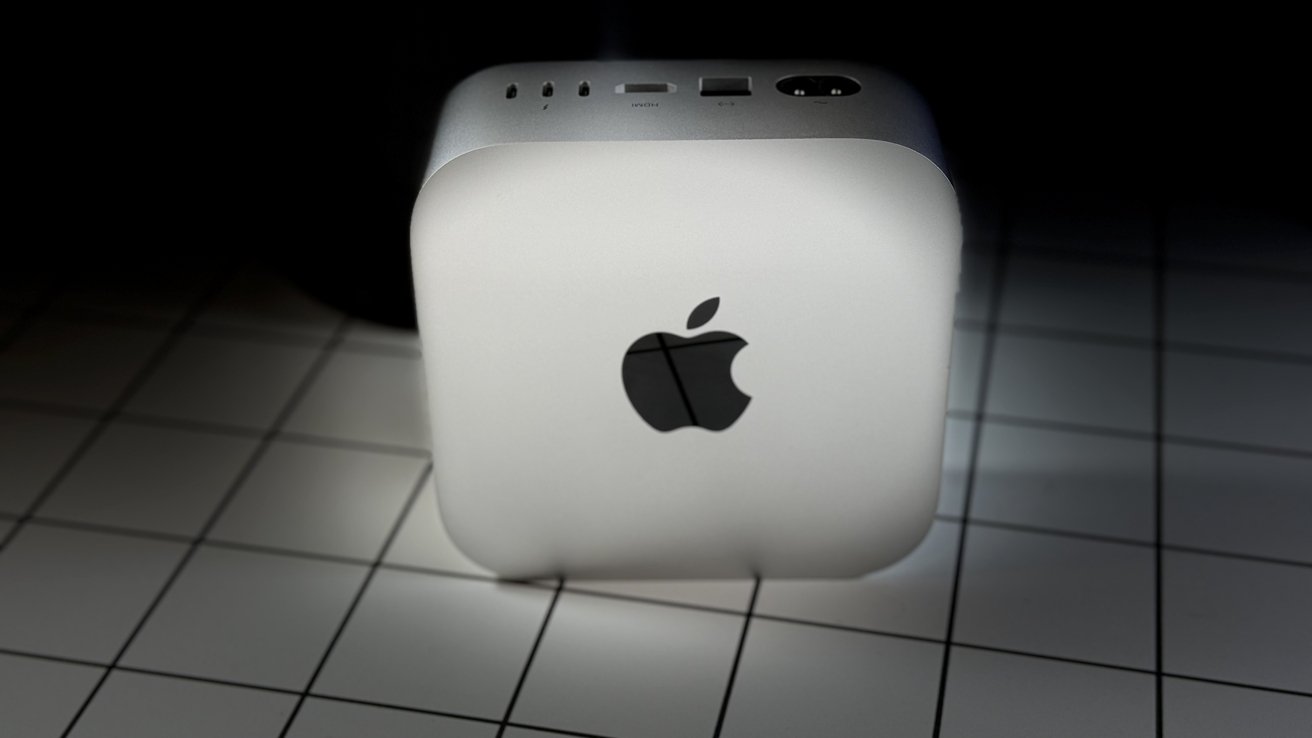
That means you get the usual current-gen design, which means that smaller square with rounded corners. It's two inches tall, including the circular foot that also provides ventilation to the unit. The Wi-Fi antenna remains on the base of the unit, for better and worse.
The outside still looks the same as the previous one, including the black Apple logo on the top, as well as the pair of USB-C ports, the headphone jack, and the power indicator at the front.
Around the back is an unchanged mix of ports, again without the immediately visible power button. Once again, it's under the back corner of the casing, which caused a stir last time for being a little harder to reach than in previous Mac minis. It was a mistake then, and it's still a mistake now.
That said, if you're the kind of person who puts the Mac to sleep at the end of the working day and doesn't really shut down the Mac mini itself, you may only need to care about the button on a rare occasion.
Really, the only pain point here is that power button. And even then, for most users, it will only be an issue when they actually need to press it.
The headline change, and the only real change of note here, is the M6 chip. It is Apple's first 2-nanometer processor in a desktop Mac.
The CPU has 12 cores in three types. This consists of two super, four performance, and six efficiency cores.
According to Apple, the M6 has a 40% faster CPU than the M4. A lot of this is due to the super cores, which adds two cores to the count versus the M4 version.
The GPU is also more core-heavy than before, with 12 instead of ten cores. The core improvements as well as the quantity stand to give the M6 a big leap in terms of graphical performance.
M6 Mac mini review: A more unusual placement of the compact computer.
That said, the bigger draw here will be in artificial intelligence processing, as the M6 has been practically made for those tasks.
For a start, there's the Neural Engine, which is now a dual 16-core version. That means there are 32 cores instead of 16 cores in previous editions.
Furthermore, each of those 12 GPU cores have Neural Accelerators, which again help with AI-related task processing. It will help your Photos work from a practical standpoint, or any other "neural" tasking.
Apple says that it has four-times faster AI compute capability than the M4. In LM Studio, it can even hit 4.8 times speeds, Apple adds. We never saw that for the base model, but it is faster.
This is all fine and good, but in practice, how much it actually varies depends on your workloads. It is faster than M4 and M5 Pro Mac minis in some workloads, but in other AI workloads, the M5 Pro core count comes ahead.
It isn't quite the AI monster that the Mac Studio has become, it's still a device that's more than capable of chewing away at queries. Still, though. The Mac mini is better used as an inexpensive workstation with Cloud AI compute instead of on-device, especially with the reviewed $899 model.
The base model as reviewed here has 16GB of unified memory. There are options for upgrades to 24GB and 32GB, if you can afford the upgrade costs.
Memory bandwidth is also a real gain this year. The base 16GB runs at 153GB/s, which is up from the 120GB/s of the M4.
In terms of computing grunt, the M6 Mac mini can push out 4,034 on the single-core test of Geekbench 7. It's an improvement of about 23% on the 3,277 of the M4 Mac mini, thanks to the use of a super core.
Likewise, turning to multi-core, the per-core improvement is mixed with the extra cores to give the M6 a score of 22,594. Against the M4 Mac mini's score of 15,337, that's a 47% improvement.
Shifting to graphics, and the Metal test is similarly a big generational gain for the M6 over the M4. At 91,087, the M6 is scoring 68% higher than its predecessor.
There's certainly a performance improvement here. It's even to make even M4 Mac mini owners consider a move up.