
Posted by Fahd Imtiaz, Senior Product Manager, and Loryn Hairston, Product Marketing Manager, Android Developer

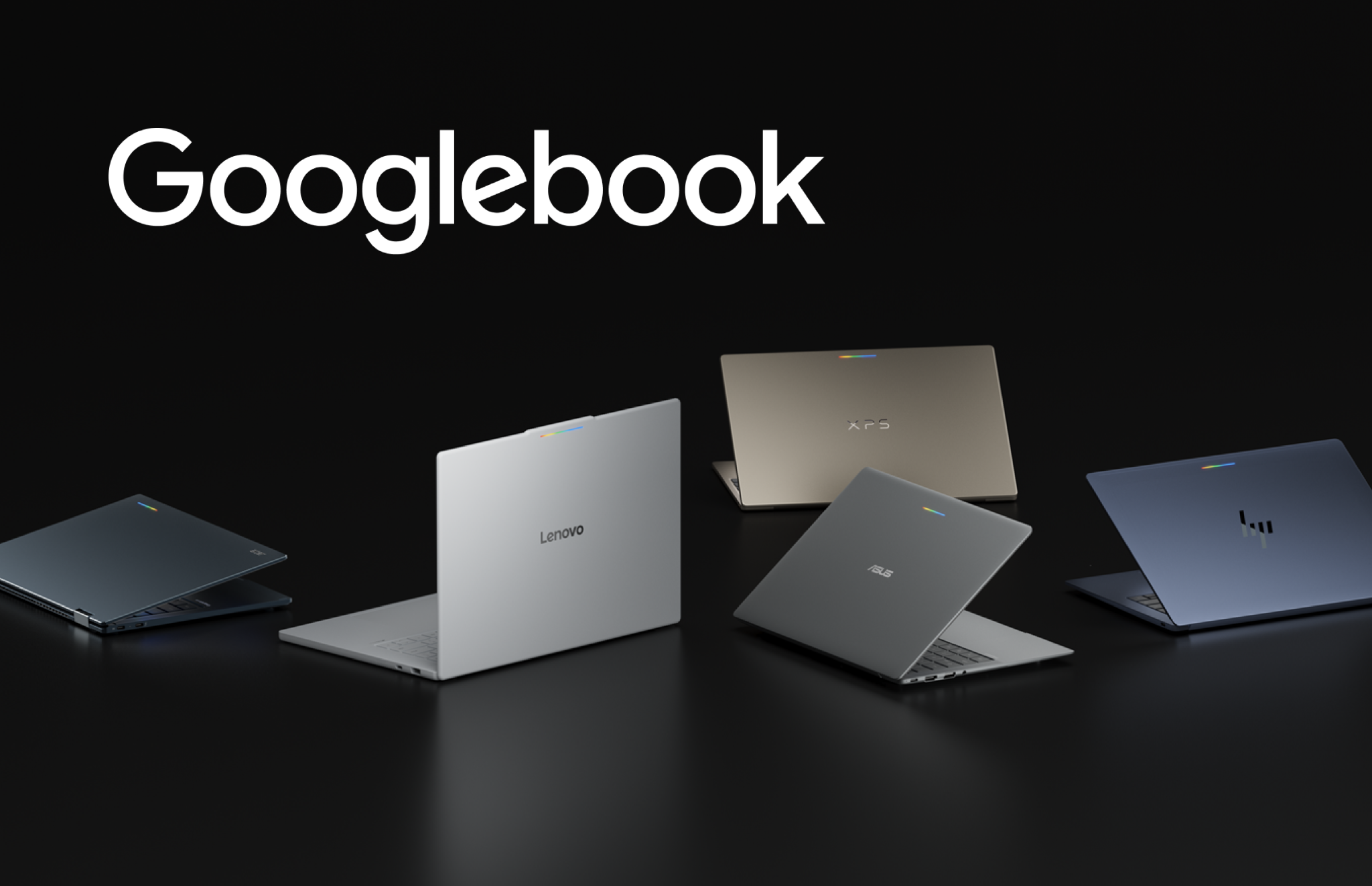
Googlebook introduces a new category of laptops built on a shared Android foundation. High-performance hardware from partners such as HP, Dell, Lenovo, Acer, and Asus, combines mobile convenience with desktop power. Googlebook offers high-resolution OLED touchscreens, dedicated keyboards, and precision trackpads with all-day battery life and OS-level Gemini Intelligence. With Googlebook, users can transition fluidly from quick interactions on their phones to rich, immersive sessions on their laptop.
Bringing your app to Googlebook opens up valuable opportunities for you across the Android ecosystem. Google Play highlights optimized titles with dedicated badging, enhanced search, and featured spots across curated store homepages. Delivering this level of quality also prepares your app for the Apps Experience Program, where you can enroll to unlock a new program rate card designed to drive business growth. Even better, when users set up their new Googlebook using their Android phone, optimized apps are prominently highlighted for easy transfer, giving your app day-one presence on their new device.
 Optimized for desktop badging and dedicated collections on Google Play.
The best part? You don’t need to build a separate app from the ground up to take advantage of this reach. Adaptive development is how modern Android apps naturally scale across large displays, new device postures, and emerging form factors. If your app already embraces adaptive layouts, it is primed for Googlebooks. By building on your existing foundation of adaptive UI, window size classes, and multi-input support, you can deliver an optimized experience.

Anchor your app in desktop fundamentals
On a laptop, your app operates within a desktop environment where user expectations shift toward higher information density, precision input, and active multitasking. Following desktop development and design guidance provides the principles needed to make the most of this experience. Instead of simply stretching mobile interfaces across a wide screen, an adaptive layout reorganizes content into functional groupings.
Adopt a multi-pane architecture to allow your UI to expand, reflow, or reveal richer detail as window boundaries change. With Navigation 3, you can implement adaptive scene strategies to coordinate multi-pane layouts directly from your back stack. Use ListDetailSceneStrategy and SupportingPaneSceneStrategy to enable side-by-side layouts when expanded window space is available. Scene decorators let you wrap screens with persistent desktop navigation rails. Pair these patterns with layout primitives like Grid and FlexBox, and soon alongside experimental MediaQuery and Styles APIs, to organize complex content and adjust visual styles dynamically for desktop displays.

In free-form desktop windowing, app windows can be resized dynamically at any time. Your layout decisions should respond directly to the available window space using window size classes rather than the physical display dimensions.
Desktop design also accounts for ergonomic viewing distances and precise pointer targets. Adjust your type scale for comfortable viewing across larger displays, set layout max widths to keep line lengths readable, and define explicit click targets to prevent misclicks. Explore complete design patterns in our design principles guide and discover real world inspiration in the desktop design gallery.
Deliver differentiated experiences for Googlebooks
Once your core layout is adaptive, you can enrich your app with differentiated features that take full advantage of a desktop environment. Everyday productivity in these setups relies on versatile input methods. Jetpack Compose natively supports physical keyboard navigation and pointer selection. Elevate your app’s usability by integrating contextual cursors that provide visual feedback for text entry, pane resizing, and tool selection. Implement right click context menus and hover states; make your shortcuts discoverable through the Keyboard Shortcuts Helper.

On Googlebook, apps run in free-form windows where users can tackle multiple tasks simultaneously. Unlock side-by-side workflows by enabling multi-instance support, giving users the ability to launch independent windows for comparing content or managing multiple documents. Pair this with drag and drop to let users move text, images, and files fluidly between windows or even drop items onto an empty workspace to spin up a new task.
 Multi-window multitasking with cross-window drag and drop.
Go all in and customize your window frame. In desktop windowing, apps include a caption header bar that you can style with custom backgrounds, search bars, or tabs while respecting system window controls.
Beyond individual app windows, Continue On keeps experiences connected across phones, tablets, and Googlebooks with bidirectional handoff that lets users start a task on one screen and pick up seamlessly on another. Passing state through HandoffActivityData preserves context such as document position or active tabs, with optional web fallbacks to ensure smooth transitions.
Complement this by surfacing actionable information at a glance with customizable widgets. And, as you refine your app experience, benchmark against our comprehensive desktop app quality guidelines.
Developers are already bringing these patterns to life across the ecosystem. When bringing Notability to Googlebook, prior investments in tablets and foldables gave the team an immediate head start. Because their layout already relied on window size classes and adaptive scene strategies, their canvas and toolbars reflowed naturally during window resizing, while existing keyboard and trackpad support carried straight over.
« We had already been targeting first-class experiences for tablets and foldables, » explains Ryan Shea, Android Engineering Manager at Notability. « So by the time Googlebook came along, scaling Notability up to a laptop-class experience was mostly turning a dial we had already built. That left us free to spend our time on the things that only make sense on a bigger screen or with the newer APIs, like Continue On, which hands a note off from your phone to the laptop, and optimizing the side-by-side app experience for studying. »
Accelerate your workflow with dedicated tooling
Testing and optimizing your app for Googlebook fits naturally into your existing development workflow.
With the desktop emulator in Android Studio, you can run a virtual desktop environment directly on your workstation to test free-form window resizing, verify multi-instance interactions, and debug mouse, trackpad, and keyboard interactions. Download Android Studio Canary to set up your virtual device today.
Help speed up your layout modernization with AI-assisted development. The adaptive skill gives your AI agents the necessary context to help refactor mobile layouts into responsive Compose containers automatically. Install the skill directly through the Android CLI to streamline your implementation.
Realize new possibilities on Googlebook
.png) The Googlebook family of laptops from ecosystem partners.
The Googlebook family of laptops from ecosystem partners.The Googlebook lineup marks an exciting new chapter for the Android ecosystem, giving your apps a premium platform to deliver richer, more capable experiences. By building adaptively, a single codebase ensures your app looks and performs optimally across phones, foldables, tablets, and Googlebooks while unlocking elevated visibility and badging across Google Play. Explore documentation at our Googlebook developer hub, review the desktop design guide, and start building for Googlebook today!