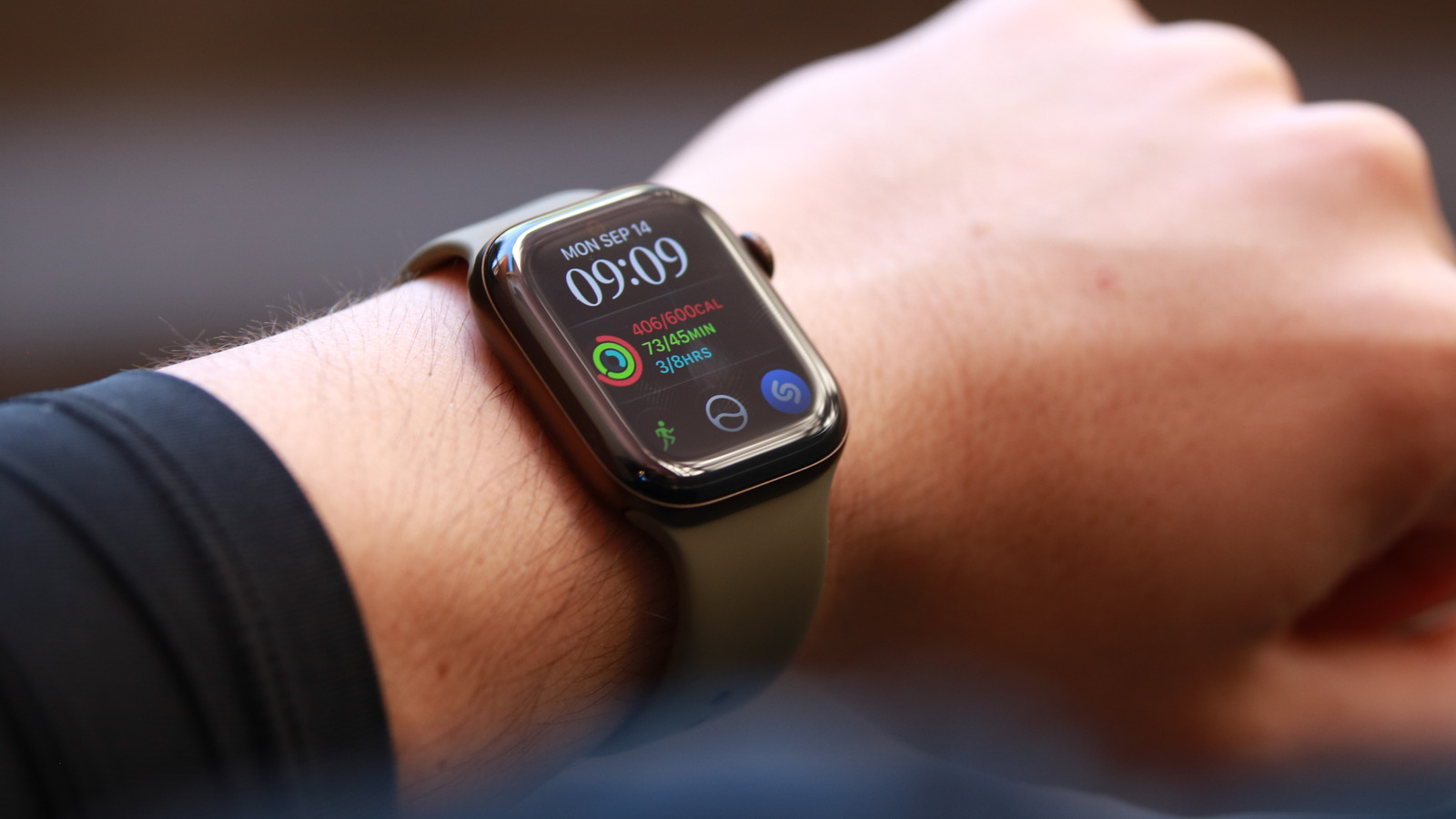
The new wearable's controversial audio features aren't available yet, but there are plenty of upgrades here.
Controversial new features dominated the conversation around the Apple Watch Series 12 launch last week. While the company's latest smartwatch had worthwhile updates like a redesigned health sensing array, new gesture support, a revived Ceramic case and improved battery performance, it felt like they were quickly forgotten. In the aftermath of the keynote presentation, people seemed lost in the controversy around two new Apple Watch features: Siri Recaps and Live Rewind.
They're part of a new suite of Audio Intelligence tools that use the Series 12's microphone to listen to sounds and speech around the wearer and deliver notifications, transcripts or summaries. In its typical privacy-minded way, Apple took pains to explain how the Series 12's S11 chip and dedicated Secure Exclave made those features more private than the alternative methods currently available. And as has become somewhat usual for Apple lately, Live Rewind and Siri Recaps won't actually be available until some vague "later this year" timeframe.
Since I wasn't able to test them yet, my mission in this review is much simpler. I spent about seven days with the Apple Watch Series 12 and focused on what I could actually try. And so far, it's the little things like gesture support that stood out.
I feel it's important to reiterate and discuss this up top. Only two of the four Audio Intelligence features are available at the moment: faster Shazam and Sound Recognition. I am eager to test Live Rewind and Siri Recap when they become available, but for now, I can only test the other two.
But before I talk about my experience with them, we should talk about the Series 12's S11 chip and how its Secure Exclave plays a part in many, if not all the watch's audio-related applications.
The Secure Exclave is positioned as a hardware-isolated component on the processor where raw audio is buffered and interpreted. Its addition is what enabled Apple to roll out new features that produce transcripts or summaries from environmental sound while keeping privacy in mind. But now that there is a Secure Exclave on the Watch, Apple has also been able to use it for tasks that previously didn't have a special private space for processing.
That includes things like the Noise app that detects the volume of sounds in your environment to tell you if your hearing is at risk due to exposure to loud noises. In a feature that's existed since watchOS 26, the Series 12 (and older watches) can automatically adjust your notification volumes based on your surrounding noise levels. This will also go through the Secure Exclave on the new Apple Watch. While none of these features ever related to speech and were only parsing data related to the loudness of environmental audio, it feels like a bonus that their processing now goes through the Secure Exclave as well.
Shazam is technically a pre-existing feature that's been upgraded thanks to the S11 chip. Now, when you open the smart stack by scrolling down on the home screen, the Shazam widget will already be showing the title and artist name of songs playing around you. I was slightly confused when I tried this out, because I had the smart stack open and repeatedly scrolled up and down while changing songs on my Spotify. But the widget remained stuck on the first song it heard, until I closed the stack and went back to the home screen, and then scrolled down again.
It's just a small quirk that doesn't really impact my experience, but I thought it was worth mentioning in case you thought the feature wasn't working somehow.
I also tested Sound Recognition on the Apple Watch, and set it to detect alarms, appliance beeps and running water. I deeply regret enabling that last one because any time I was in the bathroom, I would get buzzed telling me the watch heard water running (even when I left my phone somewhere else). What I can say here is that the feature works, and it worked quickly.
I did get a bit spooked when the iPhone 18 Pro, which I set up to listen to the same sounds and also my name, told me it had heard my name on occasion. In all those instances, I was alone. At least, in this dimension, anyway.
Until Siri Recap and Live Rewind are available for testing, I can't test for myself whether they're accurate, responsive or effective. More importantly, I won't be able to get a sense for how useful they will be and how those around me will react to the perceived privacy implications. But at the very least, you can choose not to opt in and forget about them altogether if you have concerns.
On to what else is new on the Apple Watch this year. At first glance, you probably won't spot any difference between the Series 12 and Series 11. But depending on the model, one difference is quite evident. Apple has brought back a Ceramic case option, which is available in white or blue. I love this, especially the lighter shade, as the combination of material and finish just looks and feels unique in the land of metallic smartwatches.
The company also upgraded the protective covering on the screen on the aluminum versions, giving them the Ceramic Shield 2 that is also on the iPhone 18 Pro. The other two case types (Titanium and Ceramic) have sapphire-crystal displays like previous higher end Apple Watches do. On the aluminum series, there's a new "dark bronze" color in addition to the black, space gray and light gold from before, while the titanium case comes in the familiar "natural" finish and a new "radiant gold." Those who liked the "rose gold" hue of the last two generations will probably be disappointed, as there is no pinkish shade this year.
My review unit happens to be one of the dark bronze models, and because it's darker than the space gray case of the Series 11 I've worn for a year, I initially thought it had thicker bezels. But the active area of the Series 12's screen is still the same as its predecessor, and the case size is mostly the same too (the Ceramic case is slightly thicker). I point all that out simply to offer a word of advice: If bezels bother you, choosing a lighter case might make them seem smaller on the Series 12, especially if you're coming from a relatively recent model of the Apple Watch.
Arguably the most significant upgrade to the Apple Watch Series 12 is its new "health sensing system," which you can actually see on the underside. Apple increased the surface area (while maintaining the same footprint) that's in contact with your skin, as well as the number of diodes, electrodes and LEDs that make up the heart rate detecting package. The components are all packed more closely together as well, and as a result of all these changes, Apple has been able to increase its accuracy and sampling rate, at little cost to battery life.
The change here is pretty significant. Before, background heart rate measurements were taken every five minutes, and on the Series 12, they're happening every five seconds. HRV (heart rate variability) readings used to be taken every two to four hours or so, and on the latest Watch they're recorded as often as every five minutes.
Apple also added a new variant of HRV readings. It used to only calculate SDNN (or Standard Deviation of NN intervals) values, which requires a larger sample size to be useful. But because it samples more frequently, the Series 12 enables Apple to calculate RMSSD (root mean square of successive differences) which can be more helpful in bursts like during or after workouts and training.
This HRV data feeds into the updated Vitals app, which now also shows daytime metrics, as another new feature on the Series 12: Readiness.
Last year, Apple brought Sleep Scores to the Watch Series 11, which wearables by companies like Fitbit, Samsung and Google had already been doing. This year, the Apple Watch is getting a Readiness score and a dedicated app for it. And not to belabor the point, but I believe Garmin began this trend in about 2018 with its Body Battery feature. Fitbit added Daily Readiness Score in 2021 to its Premium subscription package, and the Oura Ring also had a similar offering then. I don't typically get much use out of these scores or rely on them much, as I'll explain later, but still, better late than never, I guess. Plus, I can see how it would help some people make sense of all the data their trackers collect.
I've had to wear my review unit to bed every single night since I received it, because the Series 12 requires seven nights of data to establish a new baseline for my trends in areas like wrist temperature and HRV. When it has the information it needs, the watch can deliver your Readiness score each morning based on your sleep, activity and vitals.
After I woke up the morning after my seventh night, I was informed that my Vitals were ready for viewing. In the week since Apple's launch event, my sleep patterns have been all over the place. I've had two nights of "High" sleep scores, one at 91 and one at 80. My three nights in a row of "OK" results, ranging from 61 to 79, plus two nights of Low (41-60) and one night of Very Low meant I was prepared to see a lower baseline and general readiness results than I'm used to. (Product launch season always means less sleep and time to be at the gym.)
Unfortunately, despite pushing myself to wear something to sleep that is usually very uncomfortable for me, I did not see a Readiness score. As I've only had the Series 12 about seven nights, I'm willing to give it time. It's also possible that somehow a setting was not enabled as I'm seeing that the Vitals app says it did not record my wrist temperature and needed at least five more nights to establish a baseline.
That said, though I've yet to receive any Readiness result on the Series 12 so far, I can tell you that based on my extensive experience with Readiness scores from other wearables, its value to the user depends on, well, the user. I am a creature of habit, and tend to push myself to go to the gym every morning, so long as a work priority doesn't get in the way. When my Fitbit Air warned me against a heavy circuit, I went anyway and when I was told to increase my activity on slower days, I sank further into my couch.
Ultimately, Readiness is useful if you find it helpful to have a number tell you how active you should be each day. And that applies to all wearables, not just the Apple Watch. I'm also not a fan of how all wearables I've tested that offer this feature currently rely on consecutive nights of sleep data to establish baselines, and how if you miss a night here and there you won't get a readiness score the next morning. It feels like an easy way to lose the interest and buy-in of users who might not be as consistent or who simply don't wear their watches to bed.
As for the Series 12's implementation, I do appreciate Apple's choice of wording, which uses phrases like "Recover," "Pace yourself," "Ready" or "Go for it," rather than anything stronger. While I did find it amusing when the Google AI Health Coach admonished me saying I "clearly didn't get the memo," after I pushed past a poor readiness score one day, I actually prefer when my computerized advisors don't come off too pushy.
I also appreciate that despite the lack of a score, I could tap the Readiness card in the Vitals app and still see a breakdown of the individual components that factor into the overall number. For instance, despite there being no number next to "Fitness," the Series 12 still says my activity "has been steady over the last couple of days." Similarly, the Vitals and Sleep Score sections below Fitness said my overnight vitals were "typical" and my sleep score was "OK." At the bottom was a chip showing what day it was of my cycle, too. It's a straightforward and convenient location to see all that information.