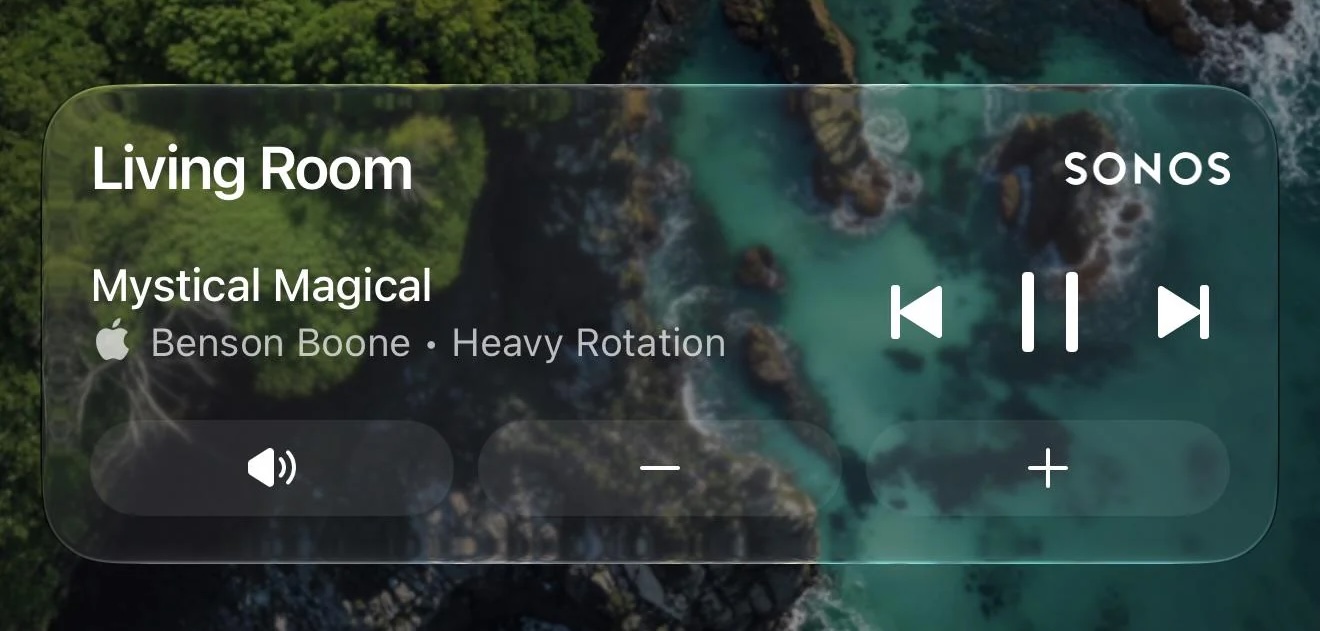
Sonos just updated its iOS app with new Live Activities support, providing quick access to playback controls from your Lock Screen.
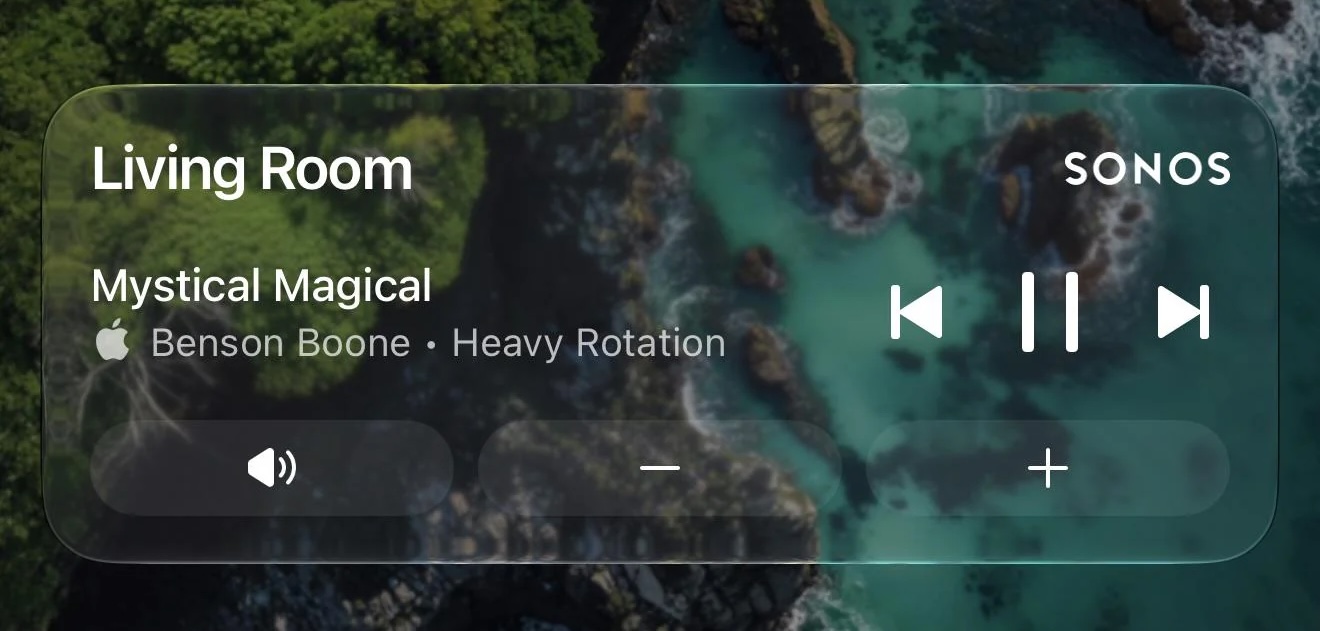
Sonos shared a Reddit post announcing the new feature, which appears after you initiate playback on a Sonos device and then close the app.
The Live Activity shows the current room or group you were last playing audio from and allows you to play/pause or skip tracks. Even if you initiate playback on Sonos from outside the Sonos app (Direct Control from supported services, Bluetooth, or AirPlay) you can still use the local playback controls that appear on the Live Activity.
As things stand, album art can’t be displayed on the Live Activity, but the company said it’s looking into alternative ways to enhance the Lock Screen experience. Sonos also mentioned that Live Activities work on Apple Watch and CarPlay, but « right now the controls aren’t supported » in these instances.
Sonos called Live Activities support a « much requested, anticipated, and needed feature. »
(Via 9to5Mac.)
This article, "Sonos iPhone App Finally Gains Live Activities Support" first appeared on MacRumors.com
Discuss this article in our forums