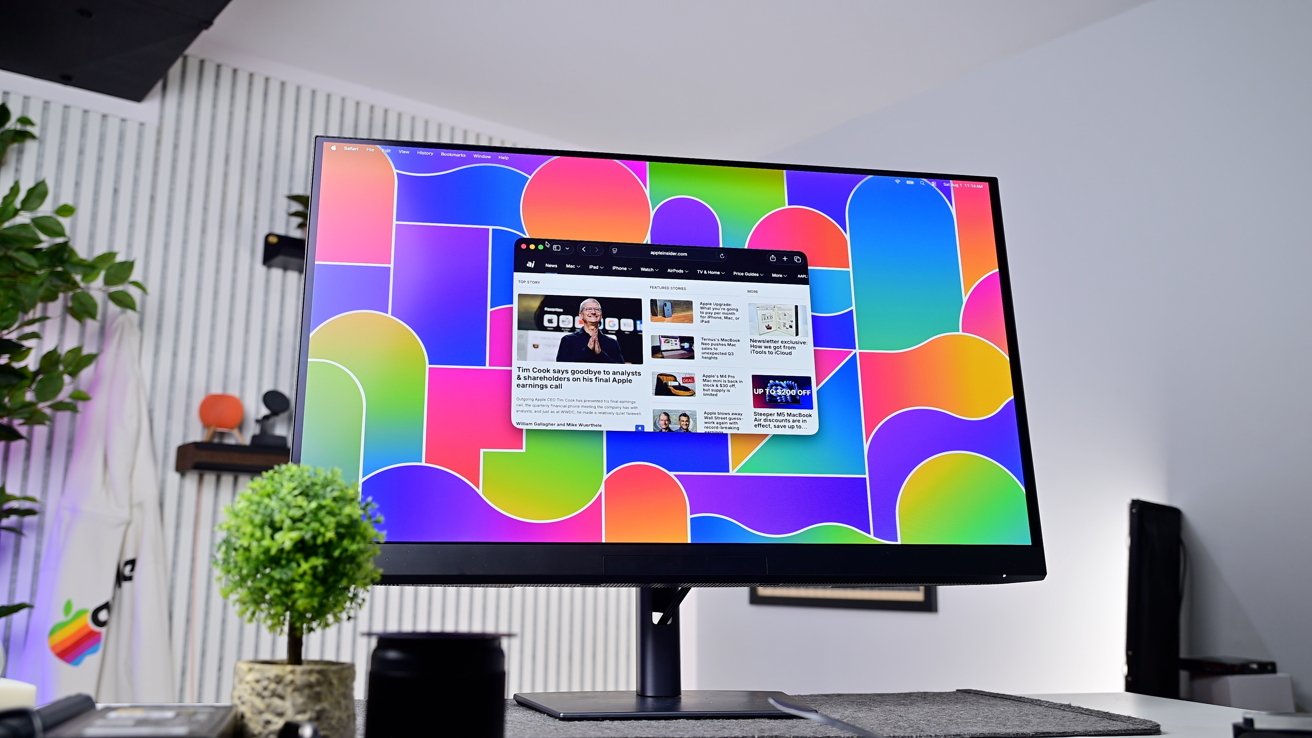
The Dell UltraSharp 32 4K QD-OLED model U3226Q is a color-accurate OLED monitor with a full port hub. It makes a strong case as a Studio Display XDR alternative for Mac users, assuming you're fine with not having a Retina-class display.
A great monitor can anchor a whole desk setup. For Mac users who can afford it, the obvious choice has long been Apple's displays.
Those displays are beautiful, but price and port quantity have always been limiting factors for most. Third-party OLED panels are an alternative, but generally with design compromises.
The Dell UltraSharp 32 4K QD-OLED (U322Q) is one such option, with both OLED and the aforementioned design compromises. It targets designers, photographers, videographers, and other creatives who need color accuracy.
Design is the monitor's clear weak point. It wears the same matte dark finish as most professional displays. Nobody will confuse this for a Studio Display.
Dell UltraSharp 32 4K QD-OLED model U3226Q review: The Dell monitor still has a boring, utilitarian design
For a desk built around Apple hardware, the contrast is visible. The Dell looks like typical plastic-clad office fare.
That said, you're going to be buying this monitor more for its capabilities, rather than its appearance.
How much that appearance matters, is an exercise for the reader. This doesn't matter so much to me.
The stand is versatile, with height, tilt, swivel, and pivot. This level of articulation is helpful for anyone who has to stare at their monitor for lengthy periods.
Dell UltraSharp 32 4K QD-OLED model U3226Q review: The monitor can pivot left and right, tilt, adjust its height, and rotate vertically
If your office environment is too light-heavy, a snap-on light hood is included for glare control. It's a nice addition, but in this world of multiple displays on one desk for one workstation, I'm not sure how much use it's going to get.
The panel is the reason to buy this monitor. It is a 31.5-inch QD-OLED running at 4K and 120Hz. This is notably not "Retina."
The panel itself, QD-OLED, gives per-pixel light control for true blacks and color representation. Contrast, viewing angles, and response are all excellent.
Dell UltraSharp 32 4K QD-OLED model U3226Q review: The display does a decent job at avoiding glare, especially when in use
The anti-glare low-reflectance coating handles bright rooms well. It diffuses my Texas office's lighting regardless of the time of day, without washing the picture out.
Color coverage reaches 99% of the DCI-P3 gamut. This is essential for people working with color, like YouTubers editing video or avid photographers.
When it comes to brightness, HDR peaks at 1,000 nits, The 300 nits available in standard use is more than enough to work with, too.
Dell UltraSharp 32 4K QD-OLED model U3226Q review: Content has great contrast and rich colors
In extended use, the color and contrast impress the most. HDR content looks vivid, and photos and video stand out.
The panel's one real actual weakness is pixel density. At 32 inches in size and at 4K, it works out to 140 pixels per inch.
That is not sharp by Apple monitor standards, and is nowhere near Retina. Users of high-density Apple displays will notice softer text up close without additional software
Dell UltraSharp 32 4K QD-OLED model U3226Q review: The Dell UltraSharp (left) is larger than Apple's Studio Display (right)
An Apple display packs more pixels into less space. For reference, the Studio Display reaches 218 pixels per inch, while using a 27-inch screen.
For some workflows, the larger canvas is worth it. For others, density matters more than screen size. The tradeoff is size against sharpness at this price. A 5K OLED of this size would cost far more than this.
Dell UltraSharp 32 4K QD-OLED model U3226Q review: There's no missing the lower pixel density when comparing the Dell UltraSharp (left) to the Apple Studio Display (right) with their respective 4K and 5K resolutions
In this case, the resolution isn't necessarily a bad thing, considering the size and what OLED delivers.
Connectivity is a major strength for Mac users. The monitor is built around Thunderbolt 4.